EducationSoftwareStrategy.com
StrategyCommunity

Knowledge Base

Product

Community

Knowledge Base

TopicsBrowse ArticlesDeveloper Zone

Product

Download SoftwareProduct DocumentationSecurity Hub

Education

Tutorial VideosSolution GalleryEducation courses

Community

GuidelinesGrandmastersEvents
x_social-icon_white.svglinkedin_social-icon_white.svg
Strategy logoCommunity

© Strategy Inc. All Rights Reserved.

LegalTerms of UsePrivacy Policy
  1. Home
  2. Topics

KB36099: A text box in a graph report area does not render in MicroStrategy Office 9.x


Community Admin

• Strategy


SYMPTOM:
When a Strategy Report services document or report that contains a text box in a graph is executed from Strategy Office 9.x, and rendered in any of the Microsoft Office products, it does not render or display the text box.
 
STEPS TO REPRODUCE:
In Strategy Tutorial 9.0.2:
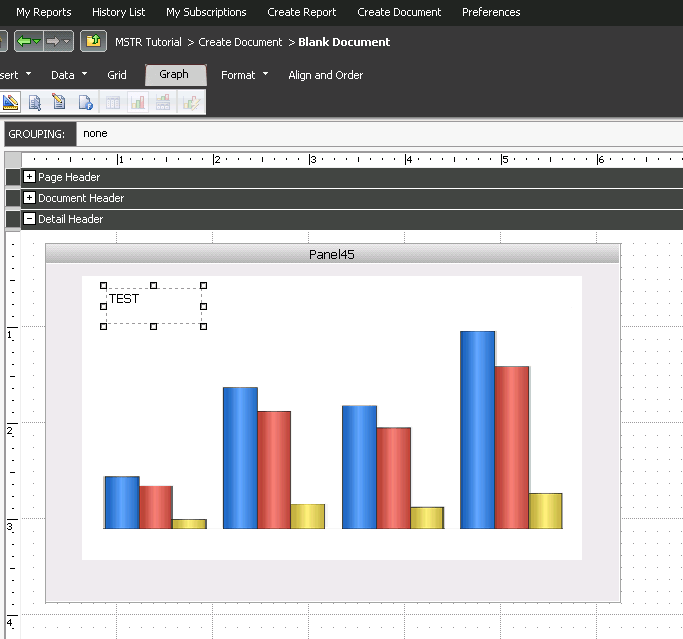
  • Create a report with Region and Revenue and save as a graph.
  • Create a document, insert a panel stack and use the above report as a dataset
  • In the graph, insert a text box with text and save the document
ka04W000000OeA0QAK_0EM4400000027hZ.png
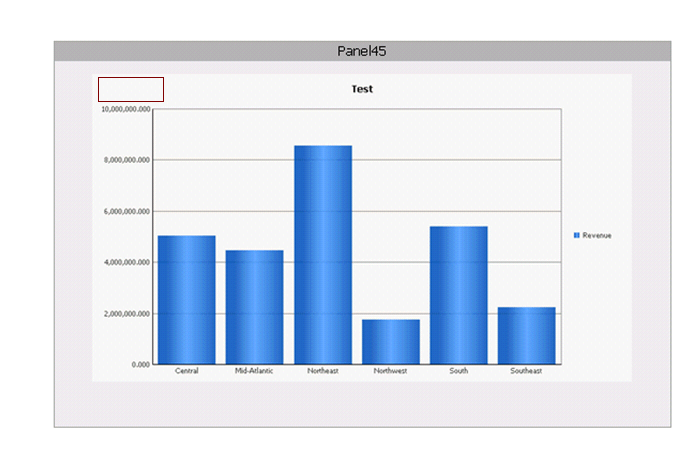
  • If the document is executed in Strategy Web, it will render properly and display the text box and its contents
ka04W000000OeA0QAK_0EM4400000027hf.png
  • Launch Microsoft Office Powerpoint and run above document using Strategy Office.  Notice that the text box does not display
ka04W000000OeA0QAK_0EM4400000027hb.png

CAUSE:
This is a known issue in Strategy Office 9.x
 
ACTION:
Strategy will continue to investigate and post updates as soon as they are available.


Comment

0 comments

Details

Knowledge Article

Published:

June 13, 2017

Last Updated:

June 13, 2017