Starting in Strategy Desktop 9.0.1. A new feature was introduced to allow users to remove the Schema object associated with a MDX Database instance no longer in use by a project under schema maintenance.
This function is available as part of the "Schema Maintenance" option under the MDX Data Warehouse section of Project Configuration/Database Instances as shown below.
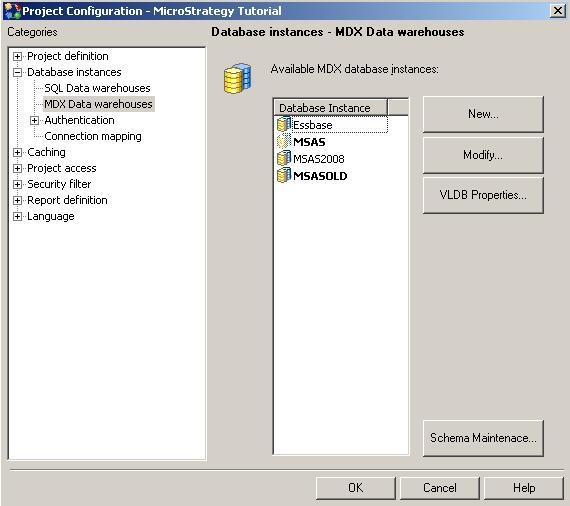
Open Schema Maintenance to see a pop-up window like below.
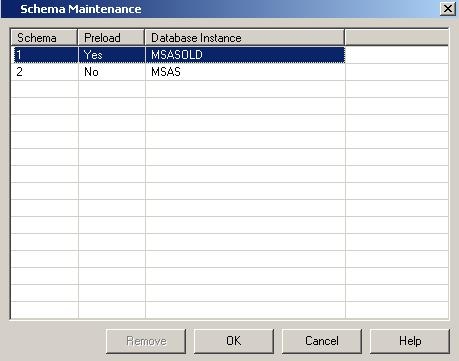
Here, there is an option to select/highlight a Schema no longer in use to be removed from the project. This option is only available for a highlighted Schema if that Schema is no longer used or referenced by other objects as to prevent inconsistencies from being formed.
Additional information about this feature is available in the help documentation for Schema Maintenance which can be reached by using the help button within the Schema Maintenance window
