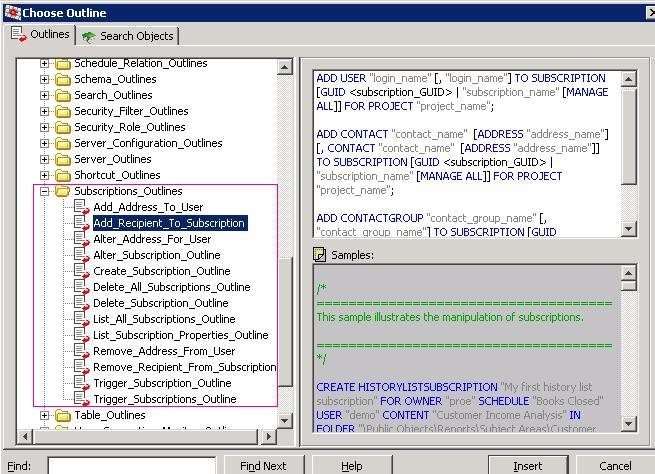
In Strategy Command Manager, all subscriptions outlines are specified in Subscription_Outline folder, as shown below:
There are two workarounds to create an email subscription to multiple users:
A: Add users/contact group to an existing email subscription
B: Create new email subscription to a contact group
Take Strategy Tutorial Project as an example to show the steps of both workarounds below.
WORKAROUND A
1. In Strategy Developer, create two users:
User A: Danielle
Address: New Address 1
User B: Dani
Address: New Address 1
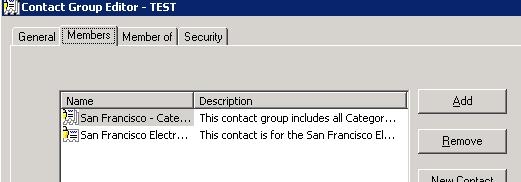
Create a contact group called TEST and add any two contacts to it, as shown blow:
2. In Strategy Command Manager, create a email subscription to one user using the following command:
CREATE EMAILSUBSCRIPTION "New Multi Users" FOR OWNER "administrator" SCHEDULE "Books Closed" ADDRESS "New Address 1" USER "danielle" CONTENT "Electronics Revenue by Region" IN FOLDER "\Public Objects\Reports\Subject Areas\Sales and Profitability Analysis" IN PROJECT "Strategy Tutorial" DELIVERYFORMAT HTML EXPIRATIONDATE NEVER EXPIRED FILENAME "file_name" SUBJECT "Test REPORT" MESSAGE "Please Test";
ADD USER "dani" TO SUBSCRIPTION "New Multi Users" FOR PROJECT "Strategy Tutorial";
ADD CONTACTGROUP "TEST" TO SUBSCRIPTION "New Multi Users" FOR PROJECT "Strategy Tutorial";
CREATE EMAILSUBSCRIPTION "New Multi Users" FOR OWNER "administrator" SCHEDULE "Books Closed" CONTACTGROUP "TEST" CONTENT "Electronics Revenue by Region" IN FOLDER "\Public Objects\REPORTS\SUBJECT Areas\Sales and Profitability Analysis" IN PROJECT "Strategy Tutorial" DELIVERYFORMAT HTML EXPIRATIONDATE NEVER EXPRIED FILENAME "file_name" SUBJECT "Test REPORT" MESSAGE "Please Test";

