SYMPTOM:
When performing drill from an attribute element into another report on Strategy Web 9.x and then using the 'Filter on Selections' under the menu Data, the following error message is shown:
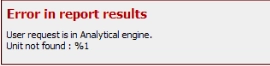
Error in report results. User request is in Analytical Engine. Unit not found : %1
STEPS TO REPRODUCE
1. On Strategy Web, log on Strategy Tutorial project;
2. Run the report Shared Reports>Strategy Platform Capabilities>Custom Groups and Consolidations>Season Sales Analysis;
3. Drill into any element of the Season consolidation, for example Winter;
4. In the newly generated report, select any element of the Month of the Year attribute, for example January;
5. Go for Data menu and select Filter on Selections and the error will be reproduced.
CAUSE:
This is a known issue in Strategy Web 9.x.
ACTION:
Contact Strategy Technical Support for an update on this issue.
