SYMPTOM:
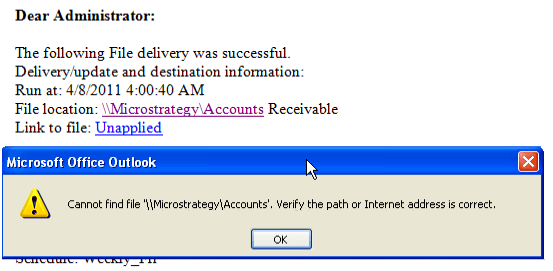
When setting up a file subscription in Strategy Distribution Services which is using a file name or path that contains spaces, the report or document is correctly written to the shared location. However, the hyperlink in the notification email is broken at the location of the first space character:
Microsoft Office Outlook
Cannot find file 'PATH'. Verify the path or Internet address is correct.
CAUSE:
The file location hyperlink in the notification email does not properly convert the space in the path name to the associated encoded character.
WORKAROUND:
Copy and paste the full file location path into a browser or the run dialog. Or do not use spaces in file name / path.
