Starting with Mobile 9.0.2 HF2 Patch 1, Administrators can set projects to be confidential, which will require users to log onto the application at start up or after a period of inactivity. User credentials are validated against the server while online and against locally cached (encrypted) credentials while offline.
This feature works for the following authentication mode:
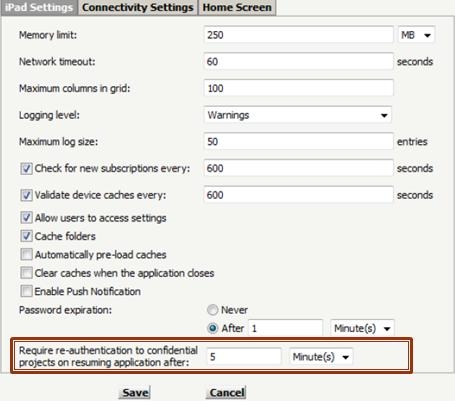
The confidential project authentication mode configuration consists of two settings, one at the device level and one at the project level.
The device level setting is the timeout that will be used to determine when the user must be authenticated.
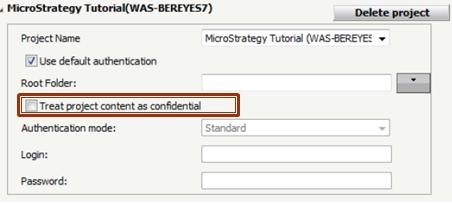
The project level setting indicates which projects are confidential.
The project level setting is a check box under each project definition. The confidential project
authentication mode will take effect when there’s at least one project marked as confidential.
The confidential project authentication will only prompt for the credentials of the first
confidential project, so it’s required that all confidential projects use the default project
credentials.
Login will be prompted when the following scenario occurs