In previous versions of Strategy Mobile, a no data returned message always displays for a grid in a document when it is viewed using the mobile app. In Strategy Mobile 9.x and 10.x, it is possible to hide document grid when no data is returned by the grid. The following explains how to configure the setting.
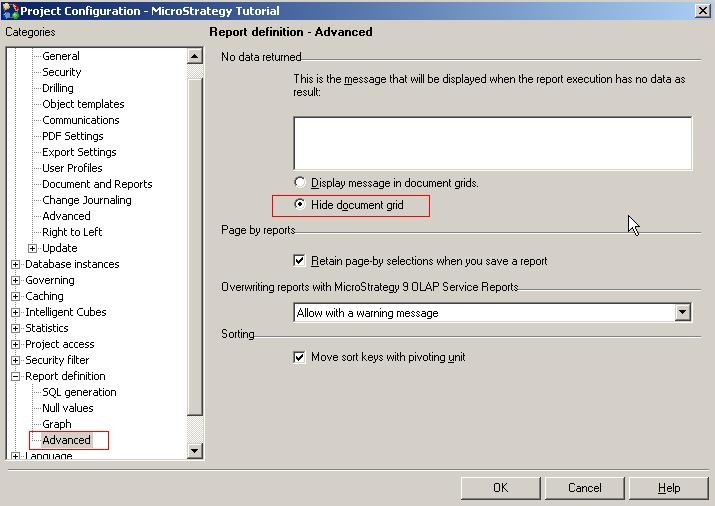
The setting used to hide document grid is located under Project Configuration -> Report Definition -> Advance -> No data returned -> Hide document grid (see below)
It is necessary that you perform a restart. For more information, see KB219534: Custom "no data" message does not work on documents containing graphs in MicroStrategy Web 9.4.1.
