This technical note discusses the Web Server settings located at the Project level under Project definition > Documents and Reports in Strategy 9.x and newer.
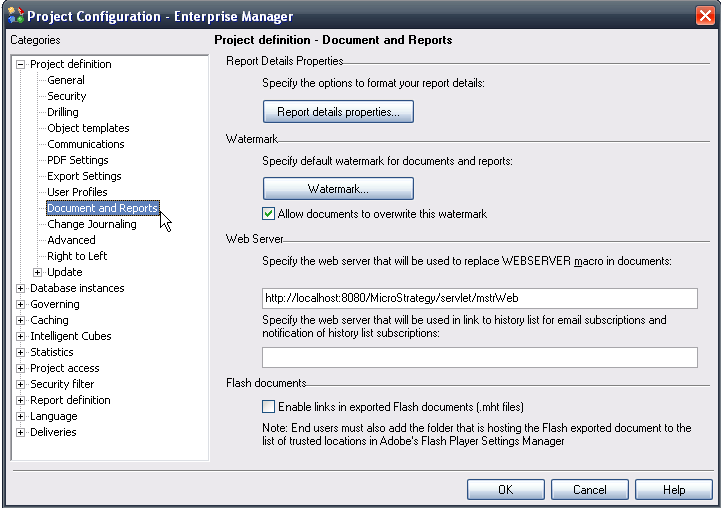
The 'Specify the web server that will be used to replace WEBSERVER macro in documents' setting is for the use of the macro {&WEBSERVER} to insert text in documents. The default value for this field contains the following: http://localhost:8080/MicroStrategy/servlet/mstr/Web.
NOTE: The <&WEBSERVER> macro setting is designed for documents executed from Strategy Developer. When the documents are executed via Strategy Web, Intelligence Server will resolve the web server name dynamically instead of using the value set here.
The 'Specify the web server that will be used in link to history list for email subscriptions and notification of history list subscriptions' denotes the web server which will be used to populate the link for history list messages in email subscriptions and notifications. By default, this field is empty.
