SYMPTOM
Users may observe that a selector having a 'Use Last' state is updated incorrectly when it is targeted by another selector of the same kind.
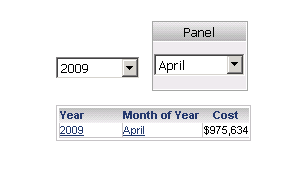
On the initial run of the document, the selectors will correctly display the last entry in the data warehouse. In the example below, the Strategy Tutorial Warehouse has been modified to contain data only up to the month of April for the last year (2009). The Year selector targets the Month selector.
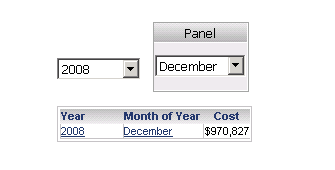
However, on changing the source selector for the first time to previous data, the target selector will also change to the last entry available in terms of the source selection, rather than maintaining its initial selection. Users expect the initial selection to be preserved for the target selector since it is not being changed. In the example below, the user only changes the Year to 2008. However, the Month also changes to the last available data (December), for the current Year selection 2008, instead of keeping the previous selection (April).
On successive changes to the source selectors, the target selection will be maintained if it contains data for the last data available in the source selector. In the example below, the month is changed to March. This is within the range of data for 2009, which is that last data available for the source selector. Remember that 2009 contains data only for the months January - April.
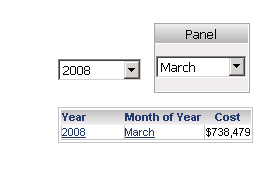
The last data available for the source selector (2009) contains data for months January - April. Therefore a March selection will be maintained regardless of the changes to the Year selector.
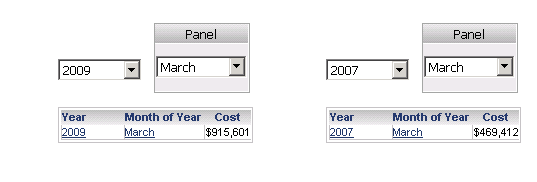
However, if on successive changes to the source selectors the target selection does not contain data for the last data available in the source selector, users will again see the target selector update incorrectly.
In the example below, Month is chosen to be May. This is outside the range of data for 2009, which is that last data available for the source selector. Remember that 2009 contains data only for the months January - April.
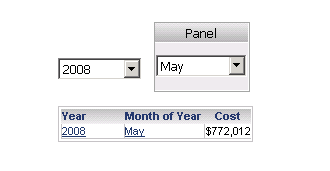
On changing the source selector back to the last available data, the target selection behaves as expected and also changes to the last available data. In the example below, the year is changed back to 2009, and since there is no data for May, the selector automatically updates to show data for April.
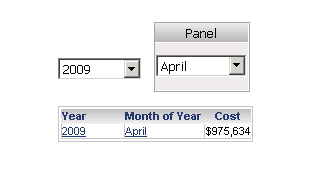
However, on changing the source selection again to anything other than the last available data, the target selection also changes to the previous manual selection instead of maintaing its current selection. In the example below, Year is changed to be anything other than 2009, which is the last available data. Instead of remaining as April, as expected, the month selection changes back to the last selection that was manually made, which was May.
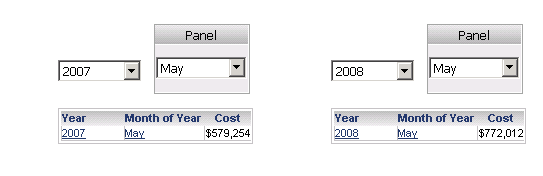
STEPS TO REPRODUCE
CAUSE
This is working as designed in accordance with how the states of the selectors are set and unset when selections are made.
Initially, the user sets the Month selector to the 'unset' state having selected 'Last element.' For year 2009, the last month is in the data warehouse is April, so the selection is 2009 + April. When the user switches to 2008, the last available month for the year in the warehouse is December, therefore, based on the setting (Unset + Use Last), the resulting selection is 2008 + December.
When the user then chooses Month of Year to be March, they are switching the selection state from 'Unset + Use Last' to 'Set to specific elements.' Therefore when changing the Year from 2008 to 2009, based on the 'Set to specific elements' state, the Month of Year remains as March since this data exists in the Warehouse for all years.
