EducationSoftwareStrategy.com
StrategyCommunity

Knowledge Base

Product

Community

Knowledge Base

TopicsBrowse ArticlesDeveloper Zone

Product

Download SoftwareProduct DocumentationSecurity Hub

Education

Tutorial VideosSolution GalleryEducation courses

Community

GuidelinesGrandmastersEvents
x_social-icon_white.svglinkedin_social-icon_white.svg
Strategy logoCommunity

© Strategy Inc. All Rights Reserved.

LegalTerms of UsePrivacy Policy
  1. Home
  2. Topics

KB36573: Privileges needed to use the User Manager in MicroStrategy Web 9.0.x


Community Admin

• Strategy


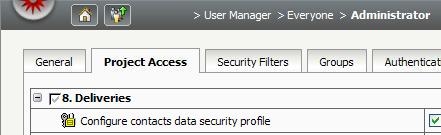
The following privileges are the minimum privileges required in order to use the User Manager to its fullest: Enable Intelligence Server administrator from Web,Create and edit users and groups,Enable user,Reset Password,Configure Group Membership,Link users and groups to external accounts,Create and edit security roles,Grant/Revoke privilege,Assign security roles,Assign security filters,Create and edit contacts and addresses, and Configure contacts data security profile

Strategy Web 9.0.0 and higher contains an Intelligence Server Administration page, with a User Manager interface to create and edit users and groups. The URL to access this page is:


http://localhost/MicroStrategy/asp/SrvrAdmin.aspx
http://localhost:8080/MicroStrategy/servlet/mstrServerAdmin
 
The following privileges are the minimum privileges required in order to use the User Manager to its fullest:
 
Note:  Almost all of these privileges are found in the Administration section of the privilege list, and may consume respective licenses when granted.

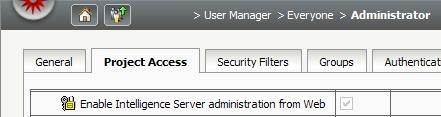
  1. Enable Intelligence Server administrator from Web - This privilege allows access to the Intelligence Server Administration page, which houses the User Manager and Security Role Manager.

​

ka04W000000OhK9QAK_0EM4400000027dV.jpeg


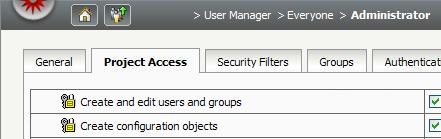
  1. Create and edit users and groups - This privilege grants access to the User Manager and allows creation of new users or groups but will not allow to edit existing users. Note: This privilege cannot be given without Create configuration objects.

​

ka04W000000OhK9QAK_0EM4400000027dX.jpeg

 
Note: In order to allow editing of existing users, either grant the Bypass all object security access checks privilege or give the user full control to the user objects.Granting the Bypass all object security access checks privilege will allow users to circumvent any Access Control List (ACL) restrictions to all objects within the project.
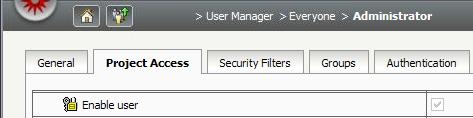
 

  1. Enable user - This privilege allows enabling and disabling users by activating the checkbox 'Account Disabled'.


ka04W000000OhK9QAK_0EM4400000027dT.jpeg


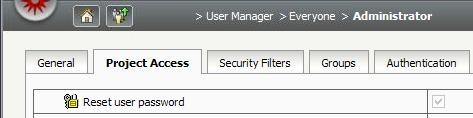
  1. Reset Password - This privilege allows reseting the password for a user by enabling the password fields.

​

ka04W000000OhK9QAK_0EM4400000027dW.jpeg


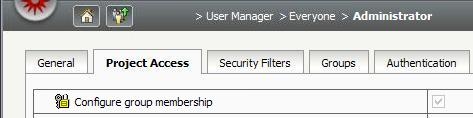
  1. Configure Group Membership - This privilege enables the Groups tab.

​

ka04W000000OhK9QAK_0EM4400000027dR.jpeg


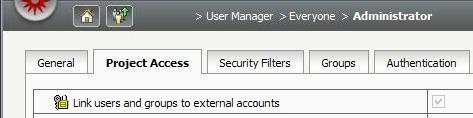
  1. Link users and groups to external accounts - This privilege enables the Authentication tab.

​

ka04W000000OhK9QAK_0EM4400000027dS.jpeg


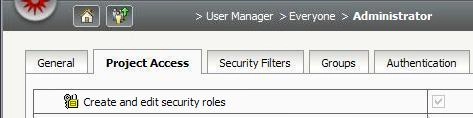
  1. Create and edit security roles - This privilege grants access to the Security Role Manager.

​

ka04W000000OhK9QAK_0EM4400000027dQ.jpeg


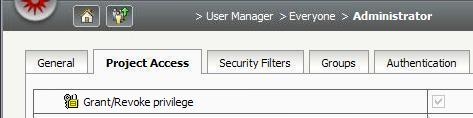
  1. Grant/Revoke privilege - This privilege enables the Project Access tab and allows individual granting of privileges but will not allow the user to make security role change

​

ka04W000000OhK9QAK_0EM4400000027dM.jpeg


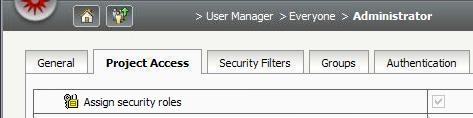
  1. Assign security roles - This privilege also enables the Project Access tab and allows the modification of security roles within the Project Access tab but will not allow individual granting of privileges by itself.

​

ka04W000000OhK9QAK_0EM4400000027dP.jpeg


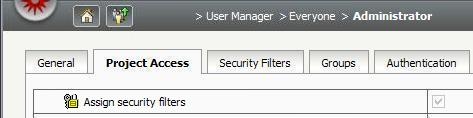
  1. Assign security filters - This privilege enables the Security Filters tab.

​

ka04W000000OhK9QAK_0EM4400000027dY.jpeg


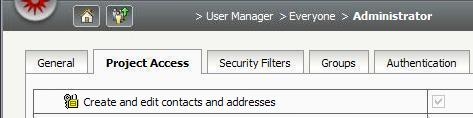
  1. Create and edit contacts and addresses - This privilege enables the Addresses tab.

​

ka04W000000OhK9QAK_0EM4400000027dL.jpeg


  1. Configure contacts data security profile - This privilege enables the Contacts tab.

​

ka04W000000OhK9QAK_0EM4400000027dU.jpeg

Comment

0 comments

Details

Knowledge Article

Published:

May 25, 2017

Last Updated:

May 25, 2017