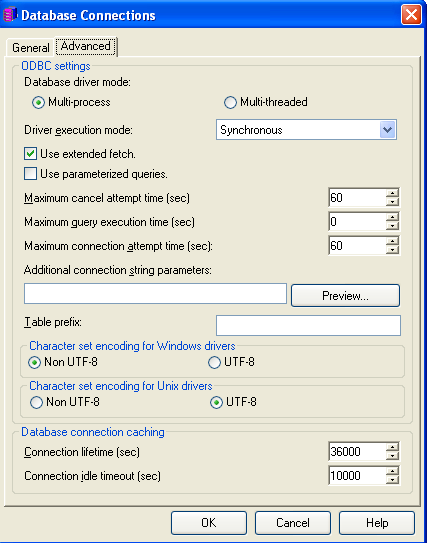
Multi-threading refers to an application with multiple threads running within a single process. Multi-processing refers to an application organized across multiple OS-level processes:
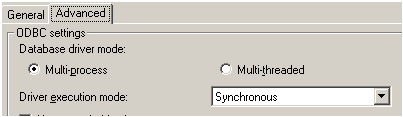
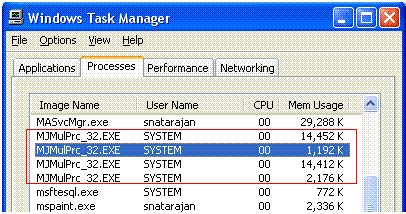
Multi-threading in general refers to the ability to perform different tasks within a process simultaneously. This is achieved by using a separate thread for each task. Though there are several threads in a process, at a time the physical processor can handle only a single thread. Though it appears to be concurrent processing to the end user, due to the OS internally performing complex time management multitasking algorithms, only single thread will be running at any one point.
A thread is a stream of instructions within a process. Each thread has its own instruction pointer, set of registers and stack memory. The virtual address space is process specific, or common to all threads within a process. So, data on the heap can be readily accessed by all threads.
Multi-processing has the opposite benefits. Since processes are insulated from each other by the OS, an error in one process does not bring down the other another process. Contrast this with multi-threading, in which an error in one thread can bring down all the threads in the process. Further, individual processes may run as different users and have different permissions.
Multi-process mode is recommended for both the metadata and warehouse databases. From observations across multiple environments, multi-process has proven more stable. For more details refer to the following Strategy Knowledge Base technical note for more details:
KB8932: What is the recommended setting for the ODBC Database Driver Mode in Strategy Intelligence Server?
By default, all metadata connections are in multi-process mode. This can be checked if the connections are using multi-threaded or multi-process mode of connectivity to the metadata through the registry. Refer to the following Strategy Knowledge Base technical note on specific instructions regarding this process:
KB6727: How to determine the ODBC Driver Execution Mode a 3-tier mode Strategy Project is using to connect to the project metadata in Strategy Intelligence Server
For 2-tier project sources, this option is exposed in the project source itself – right click on project source > Modify Project Source > Advanced > ODBC Driver Execution Mode as seen in screenshot below: