EducationSoftwareStrategy.com
StrategyCommunity

Knowledge Base

Product

Community

Knowledge Base

TopicsBrowse ArticlesDeveloper Zone

Product

Download SoftwareProduct DocumentationSecurity Hub

Education

Tutorial VideosSolution GalleryEducation courses

Community

GuidelinesGrandmastersEvents
x_social-icon_white.svglinkedin_social-icon_white.svg
Strategy logoCommunity

© Strategy Inc. All Rights Reserved.

LegalTerms of UsePrivacy Policy
  1. Home
  2. Topics

KB36718: How to create a call link in a dashboard viewed on an iPhone in MicroStrategy Mobile 9.0.2 and above


Community Admin

• Strategy


This document shows how to create a call link in a dashboard viewed on an iPhone in MicroStrategy Mobile 9.0.2 and above

The iPhone device can recoginize links as a phone number and make a call request when the link is selected. In Strategy Mobile 9.0.2 and above, this can be integrated into a dashboard for easy navigation and user interaction.
 
STEPS TO FOLLOW:
  • Create a new dashboard or document.
  • Insert a text box and enter any text.
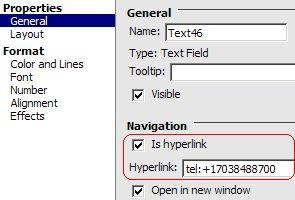
  • Right-click in the text box and select Properties and Formatting.
  • Enable the hyperlink function and use the syntax below to specify a phone number:

ka04W000000OdYSQA0_0EM440000002APh.jpeg
  •  

    
    tel:+PHONENUMBER


  • Save the document and execute it through the iPhone.
  • The document will look like the following:

ka04W000000OdYSQA0_0EM440000002APk.png
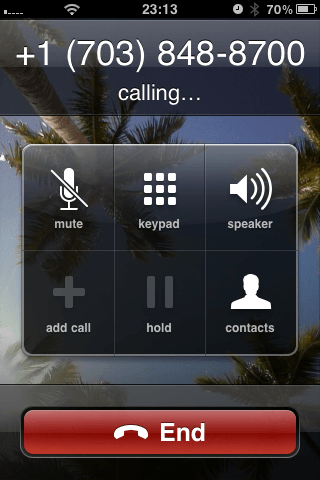
  • When user clicks on the link, the number should be dialed:

ka04W000000OdYSQA0_0EM440000002APj.png


Comment

0 comments

Details

Knowledge Article

Published:

April 11, 2017

Last Updated:

April 11, 2017