Starting with the release of Strategy ONE (March 2024), dossiers are also known as dashboards.
Users may notice that when metrics have long names, it is impossible to see the whole of their names when creating calculation metrics:
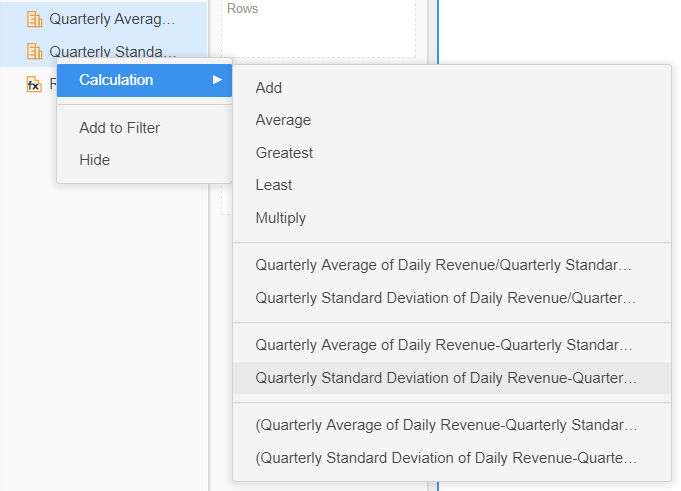
STEPS TO REPRODUCE:
1. Create a new Dossier in Tutorial Project
2. browse existing objects to add them to the dataset. Pick the following metrics:
• Quarterly Average of Daily Revenue
• Quarterly Standard Deviation of Daily Revenue
3. ctrl click on the two metrics to select them from the dataset panel, RMC and choose Calculation
CAUSE:
This is an identified defect in Strategy 10.9.
ACTION:
This issue has been addressed in Strategy 10.11. Please upgrade to take advantage of the fix.
WORKAROUND:
Consider a change in the naming convention: it's better to start the metrics with a name that differentiate from the others by the very beginning and also naming them shortly. For instance if a metric is called "Average daily profit last year", it can be renamed to "LY Daily Profit AVG". The complete name "Average daily profit last year" may then be pasted in the description of the metric, so that this will allow the end users to see the meaning of the short names, as shown below:
KB439513
