SYMPTOM:
In Strategy Web, when saving a prompted report, the 'Remember options next time' checkbox is no longer available in the save dialog box.
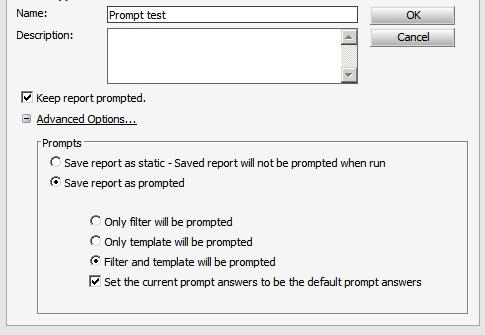
However, when running and saving the same prompted report in Strategy Desktop, the option is still available

CAUSE:
This is expected behavior in Strategy Web. The setting for 'Remember options next time' is stored locally in the client machine that the customer is running for Desktop reports only.
Also Note: The 'Remember options next time' check box will apply to ALL prompted reports and not just the one that is being saved. If the user wants to remove the setting, the report must be executed again (or reprompted) and saved in order to get the save dialog box and un check the setting. However, if the report was saved as 'static', the report cannot be reprompted and therefore the setting will no longer be available for changing.
ACTION:
An enhancement request has been opened internally to request that the option to 'Remember options next time' for prompts be available in Web.
Please contact Strategy Technical support for more information.
