SYMPTOM
When Strategy Intelligence Server 9.x. is running under the local system account, Strategy Service Manager fails to launch correctly and results in the following error:
Sample Code/Error
'Error accessing service status - Unexpected error occurred. Access denied'
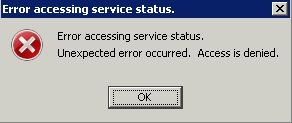
The Strategy Service Manager GUI opens after clicking on OK on the above error. However, all the controls are grayed out as shown below.
.

If the Strategy Intelligence Server process is selected to run under a network account, Strategy Service Manager can be launched correctly. Selecting to specifically launch the process using an Administrator account does not help.
CAUSE
This issue can be seen if the administrators group on the Windows operating system does not have the privilege for 'Debug Programs'. Strategy Service Manager uses the server control API to get the status of the process. This API is launching the MSTRCtl2_64.exe or MSTRCtl.exe process to get the status of the Strategy Intelligence Server process. An openprocess() system call needs to made by the MSTRCtl process to get the status of the MSTRSvr.exe process. Since this involves one process trying to get details about a different process, the Windows operating system requires that the user should have the 'debug programs' privilege.
Note: The openprocess() call failure can be seen in the result, if the MSTRCtl utility is launched from command line (using the command: mstrctl -s IntelligenceServer gs) and when the Strategy Intelligence Server is running under the local system account. A screenshot of this error is shown below.

ACTION
Provide 'Debug programs' privilege to the Administrators group on the Windows Operating System. This privilege can be added by accessing Control Panel > Administrative tools > Local Security Policy > Local Policies > User Rights Assignment settings, as shown below.

