Once a Configuration Object has been migrated over into the Strategy Enterprise Manager Warehouse (using the data load process), if it gets deleted in the project Metadata, it will not get deleted from the Strategy Enterprise Manager Warehouse.
To filter out Configuration Objects in Strategy Enterprise Manager that no longer exist in the project Metadata, the Configuration Object Exists Status indicator must be used. This indicator can be found in the Enterprise Manager project as shown below:
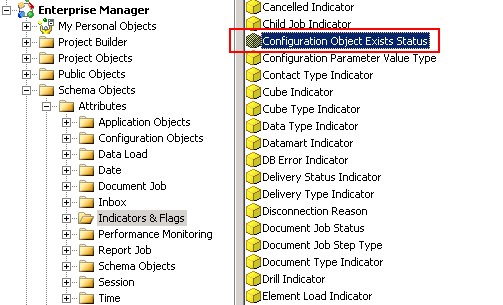
In order to update the Configuration Object Exists Status indicator in the Strategy Enterprise Manager Warehouse, the following steps should be executed:
1. Open Strategy Enterprise Manager Console
2. Navigate to menu Tools > Data Load Options
3. Click on the Update object deletions button:
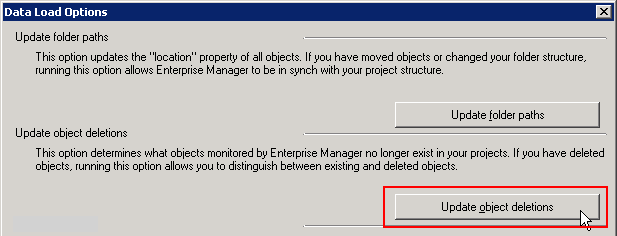
The Update object deletions process scans the entire Strategy Enterprise Manager Warehouse in order to compare all configuration objects statuses against the Metadata. It performs the appropriate updates to the Configuration Object Exists Status indicator when a configuration object only exists in the Strategy Enterprise Manager Warehouse.
Note: The 'update object deletions' option updates the object exists column for all application objects, schema objects and configuration objects.
