SYMPTOM
When using a Microsoft Excel file as data source, not all data available in its tables are retrieved in the related reports in Strategy although the physical data can be seen in the .xls file. Also, those data are not displayed when queried in the Strategy DB Query Tool.
CAUSE
One possible reason for this issue is that the missing data in the report results are placed off the table area on Microsoft Excel spreadsheet, as shown below:
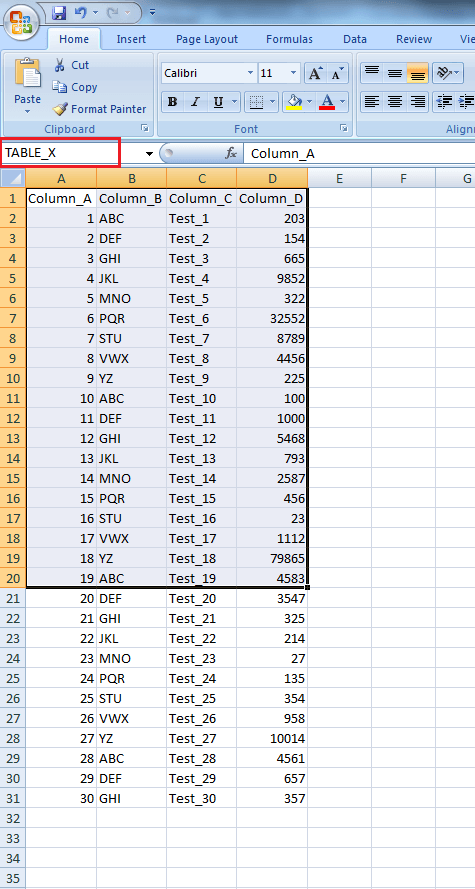
In this picture above, the "TABLE_X" is limited by the column D and the row 20. As such, only data in the highlighted area will be displayed in reports whose objects map to those columns. All the data out of those limits will not be considered as belonging to the "TABLE_X".
ACTION
Redefine the table area in the given Microsoft Excel table in order to have all necessary data considered as part of the table.
