EducationSoftwareStrategy.com
StrategyCommunity

Knowledge Base

Product

Community

Knowledge Base

TopicsBrowse ArticlesDeveloper Zone

Product

Download SoftwareProduct DocumentationSecurity Hub

Education

Tutorial VideosSolution GalleryEducation courses

Community

GuidelinesGrandmastersEvents
x_social-icon_white.svglinkedin_social-icon_white.svg
Strategy logoCommunity

© Strategy Inc. All Rights Reserved.

LegalTerms of UsePrivacy Policy
  1. Home
  2. Topics

KB37200: The ‘403 Forbidden’ error message is encountered when exporting a report with special characters in the report name to Excel or PDF in MicroStrategy Web 9.x and 10.x via Single Sign-on.


Community Admin

• Strategy


KB37200: The ‘403 Forbidden’ error message is encountered when exporting a report with special characters in the report name to Excel or PDF in MicroStrategy Web 9.x and 10.x via Single Sign-on.

SYMPTOM:
In Strategy Web 9.x and 10.x, consider the following scenario:
  • Connect to Web using Single Sign-On.
  • Run a report with special characters in the report name and export to Excel
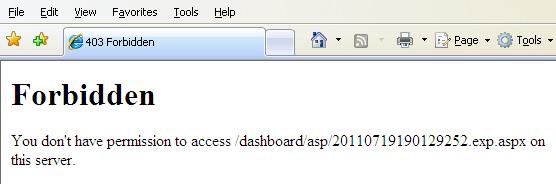
  • The following error is encountered:
     
ka04W000000OexqQAC_0EM4400000027Yx.jpeg
  •  
     

    Sample Code/Error
     ‘Forbidden
    You don’t have permission to access /dashboard/asp/xxx.exp.aspx on this server’


    Note: The same report exports fine in a non Single Sign-On environment.

 
CAUSE:
In Web, when exporting to PDF or Excel, a temporary name for the export object is used and then retrieved the server.  In this example, the report name is ‘Test (A & B)’.  Since the original name of the report contains special characters, it is causing an issue with Single Sign-On session state.
 
ACTION:
Re-name the report name and remove the special characters 


Comment

0 comments

Details

Knowledge Article

Published:

June 22, 2017

Last Updated:

June 22, 2017