EducationSoftwareStrategy.com
StrategyCommunity

Knowledge Base

Product

Community

Knowledge Base

TopicsBrowse ArticlesDeveloper Zone

Product

Download SoftwareProduct DocumentationSecurity Hub

Education

Tutorial VideosSolution GalleryEducation courses

Community

GuidelinesGrandmastersEvents
x_social-icon_white.svglinkedin_social-icon_white.svg
Strategy logoCommunity

© Strategy Inc. All Rights Reserved.

LegalTerms of UsePrivacy Policy
  1. Home
  2. Topics

KB37234: "System.AccessViolationException: Attempted to read or write protected memory" error message appears in MicroStrategy 10.x and higher


Community Admin

• Strategy


error message appears if memory conflict between the .NET framework and the Java Virtual Machine (JVM), which is used extensively in the MicroStrategy Web platform.

SYMPTOM
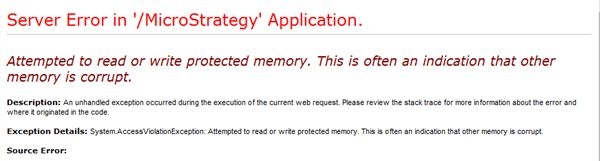
When accessing Strategy Web, the following error message appears:
ka04W000000OfcjQAC_0EM4400000027Xx.jpeg


System.AccessViolationException: Attempted to read or write protected memory. This is often an indication that other memory is corrupt.


CAUSE
One of the cause is memory conflict between the .NET framework and the Java Virtual Machine (JVM), which is used extensively in the Strategy Web platform.
 
ACTION
To resolve this error, reduce the JVM Maximum Heap Size:

  1. Select Start > Run and type regedit to launch the Registry Editor
  2. Navigate to the following folder


    HKEY_LOCAL_MACHINE\SOFTWARE\MicroStrategy\JNI Bridge\Configuration\JVM Options


  3. Right-click on HeapMaxSize and click Modify
  4. Change the value to a lower value 
  5. Close regedit
  6. Restart IIS 

 
WARNING: Modifying registry values incorrectly may cause serious, system-wide problems that may require the re-installation of Microsoft Windows. Any edit of the registry is done at the user's own risk. Since these are user-initiated changes, they are not covered by any Strategy warranty. If using Microsoft Windows, the user should backup the registry and/ or update an Emergency Repair Disk prior to alterations.


37234


Comment

0 comments

Details

Knowledge Article

Published:

April 3, 2017

Last Updated:

May 28, 2018