In Strategy Web 9.x, Lock Column/Row Headers is not working correctly with dynamic HTML mode turned off and the Lock Column/Row Headers icons do not display correctly.
STEPS TO REPRODUCE
1. Go to Preferences > User Preferences > General > Select Dynamic HTML as NO.
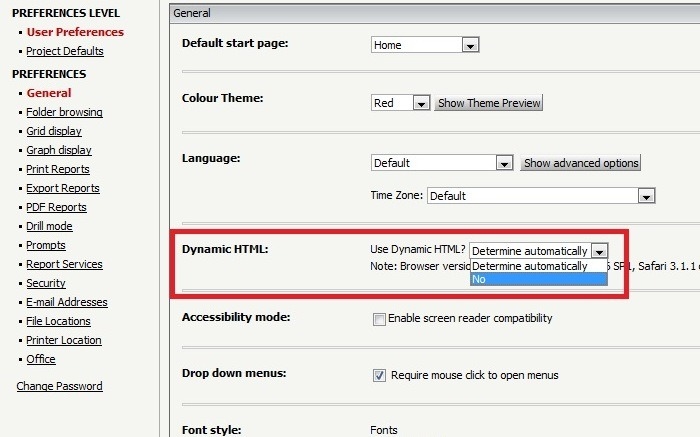
2. Run a report (for example Attributes: Region, Call Center, and Metrics: Cost, Revenue).
3. Try to use Lock Column Headers icons from the toolbar, it will not be applied.

Note: the icons appear differently
CAUSE
This is a known issue in Strategy Web 9.x.
ACTION
Please contact Strategy Technical Support for an update of this issue.
KB3727
