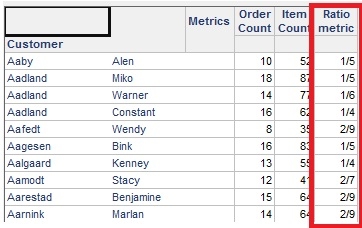
If a metric is defined as (FactA/ FactB) or (MetricA/MetricB), then by default it will be displayed as number in the report. How can the display format of this metric be changed such that it will be displayed as ratio?
The following procedure describes how to achieve this in Strategy 10.x:
In order for a metric to be displayed as ratio, its Number Formatting has to be changed to "Fraction". Inside a metric editor, go to Tools -> Formatting -> Values and from the Number tab, select the Category as Fraction as shown in the following screenshot:
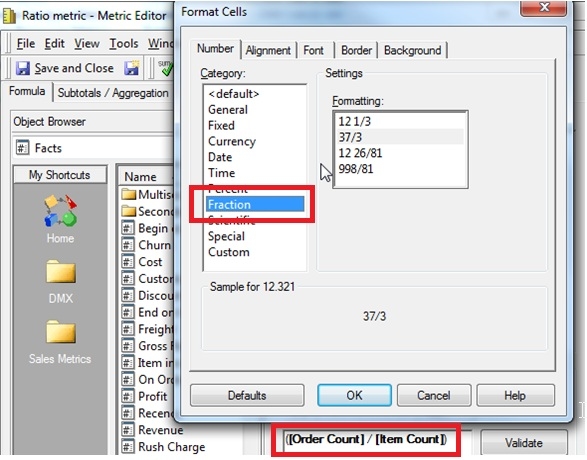
The metric is defined as / and its number formatting has been set as Fraction. When this metric is used on the report, it will be displayed as Ratio as shown below: