EducationSoftwareStrategy.com
StrategyCommunity

Knowledge Base

Product

Community

Knowledge Base

TopicsBrowse ArticlesDeveloper Zone

Product

Download SoftwareProduct DocumentationSecurity Hub

Education

Tutorial VideosSolution GalleryEducation courses

Community

GuidelinesGrandmastersEvents
x_social-icon_white.svglinkedin_social-icon_white.svg
Strategy logoCommunity

© Strategy Inc. All Rights Reserved.

LegalTerms of UsePrivacy Policy
  1. Home
  2. Topics

KB37310: Report Services documents exported to Excel with embedded images display a blank white area where the image should be in MicroStrategy Web 9.x


Community Admin

• Strategy


Excel exports display a blank space in place of an embedded image when the image is referenced using an absolute HTTP URL path in MicroStrategy Web 9.x

SYMPTOM:
Excel exports display a blank space in place of an embedded image when the image is referenced using an absolute HTTP URL path in Strategy Web 9.x
 
Below is a screen shot of a document with an image in Strategy Web.
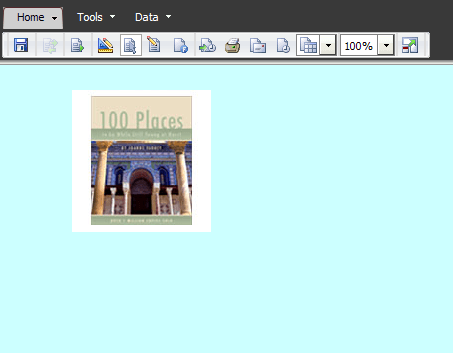
 

ka04W000000ObQPQA0_0EM4400000027Xu.png

 
When the same document above is exported to Excel with the image embedded, the export appears as shown below.
 

ka04W000000ObQPQA0_0EM4400000027Xz.png

 
STEPS TO REPRODUCE:

  1. Insert an image into a Report services document.
  2. Configure the image path to be an absolute, fully qualified path. For example, http:///Intelligence Server/images/1.jpg
  3. Go to Tools > Document Properties > Export and select the "Embed images" checkbox.
  4. Export to Excel - note the blank white area where the image should be.

 
CAUSE:
This is a known issue in Strategy Web 9.x
 
WORKAROUND
If the image URL contains a space, replace it with the ASCII equivalent '%20' in the image properties.
 
ACTION
Contact Strategy Technical Support for an update on this issue.


Comment

0 comments

Details

Knowledge Article

Published:

June 2, 2017

Last Updated:

June 2, 2017