EducationSoftwareStrategy.com
StrategyCommunity

Knowledge Base

Product

Community

Knowledge Base

TopicsBrowse ArticlesDeveloper Zone

Product

Download SoftwareProduct DocumentationSecurity Hub

Education

Tutorial VideosSolution GalleryEducation courses

Community

GuidelinesGrandmastersEvents
x_social-icon_white.svglinkedin_social-icon_white.svg
Strategy logoCommunity

© Strategy Inc. All Rights Reserved.

LegalTerms of UsePrivacy Policy
  1. Home
  2. Topics

KB37490: Title When an attribute in a Heat Map widget is used as selector to target a grid object, there is no way to default back to showing "All" or display all selector elements once an element is already selected in MicroStrategy Web 9.4.1.


Community Admin

• Strategy


When an attribute in a Heat Map widget is used as selector to target a grid object, there is no way to default back to showing "All" or display all selector elements once an element is already selected in MicroStrategy Web 9.4.1.

SYMPTOM:
In Strategy Web 9.4.1 when an attribute in a Heat Map widget is used as selector to target a grid object, there is no way to default back to showing "All"or display all selector elements once an element is already selected.
 
STEPS TO REPRODUCE:
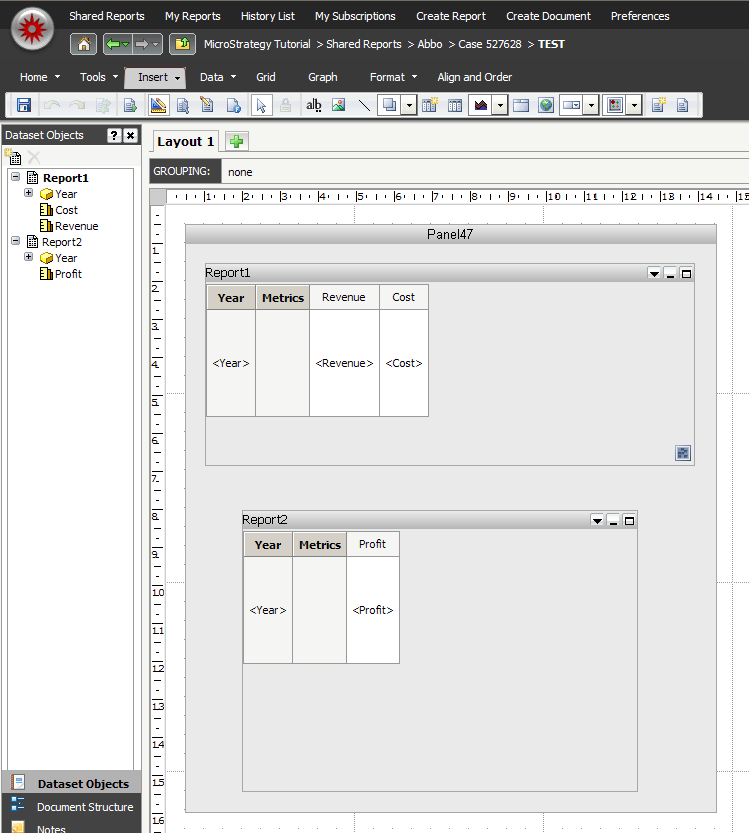
  • Create two dataset reports -> Report1 with Year and Revenue and Cost and Report2 with Year and Profit
  • Create a document, insert a panel stack and a Heat Map widget
  • Insert Report1 into the widget and Report2 into the panel stack, below the widget, as shown below: 
     
ka04W000000OhDqQAK_0EM4400000027W0.png
  • Use the Year attribute from Report1 as selector and target Report2, and enable the "All" option
     
ka04W000000OhDqQAK_0EM4400000027Vn.png
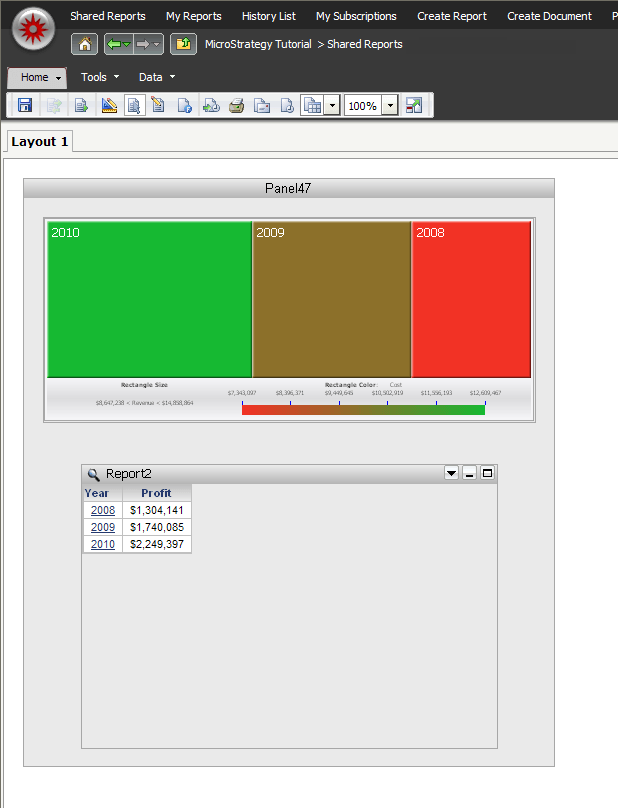
  • In Strategy Web, run the document.  Notice both the Heat Map and target grid display data for all 3 years
     
ka04W000000OhDqQAK_0EM4400000027Vm.png
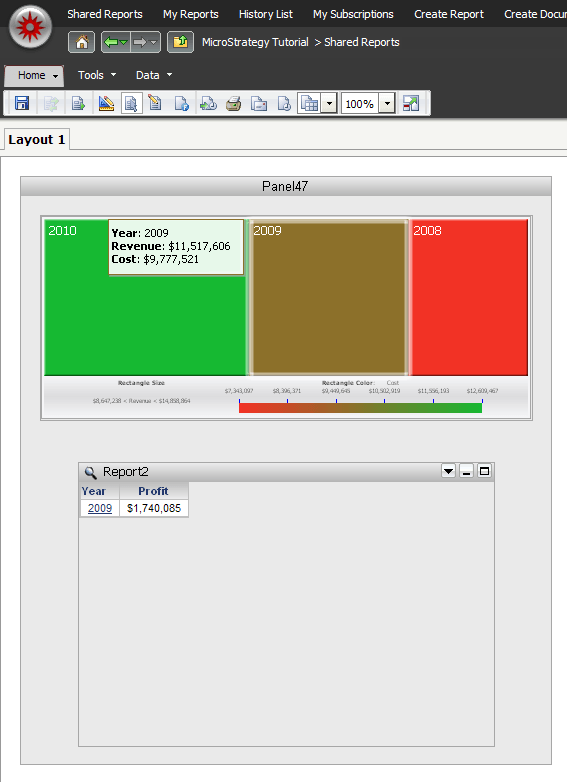
  • In the Heat Map, select one of the years.  Te target grid will update and display the correct data.  If a different year is selected, the target grid will update properly and display the correct data.  However, there is no way to default back and display all of the years again, even though the "All" option is enabled:
     
ka04W000000OhDqQAK_0EM4400000027Vz.png

CAUSE:
This is a known issue in the Flash Heat Map widget when used as selector in Strategy Web 9.4.1
 
ACTION:
This issue was addressed in the HTML5 VI Heat Map widget in Strategy 10.x. Upgrade to take advantage of the fix.


Comment

0 comments

Details

Knowledge Article

Published:

May 30, 2017

Last Updated:

May 30, 2017