EducationSoftwareStrategy.com
StrategyCommunity

Knowledge Base

Product

Community

Knowledge Base

TopicsBrowse ArticlesDeveloper Zone

Product

Download SoftwareProduct DocumentationSecurity Hub

Education

Tutorial VideosSolution GalleryEducation courses

Community

GuidelinesGrandmastersEvents
x_social-icon_white.svglinkedin_social-icon_white.svg
Strategy logoCommunity

© Strategy Inc. All Rights Reserved.

LegalTerms of UsePrivacy Policy
  1. Home
  2. Topics

KB37738: How to answer N-Level deep nested prompts when the second prompt is not answered so the first prompt still applies


Stefan Zepeda

Salesforce Solutions Architect • Strategy


This article describes how to answer N-Level deep nested prompts when the second prompt is not answered so the first prompt still applies

The example in this document demonstrates how to create a 2-level deep nested prompt that will allow all the elements of the first selection to be applied when the second prompt is not answered.
Refer to the below technical note on how to create an N-Level deep nested prompt:
KB10434: How to create N-Level deep nested prompts in MicroStrategy Developer
 
The below example will be the same format/set up as the technical note above, however, the Month filter will not be present for simplistic reasons.

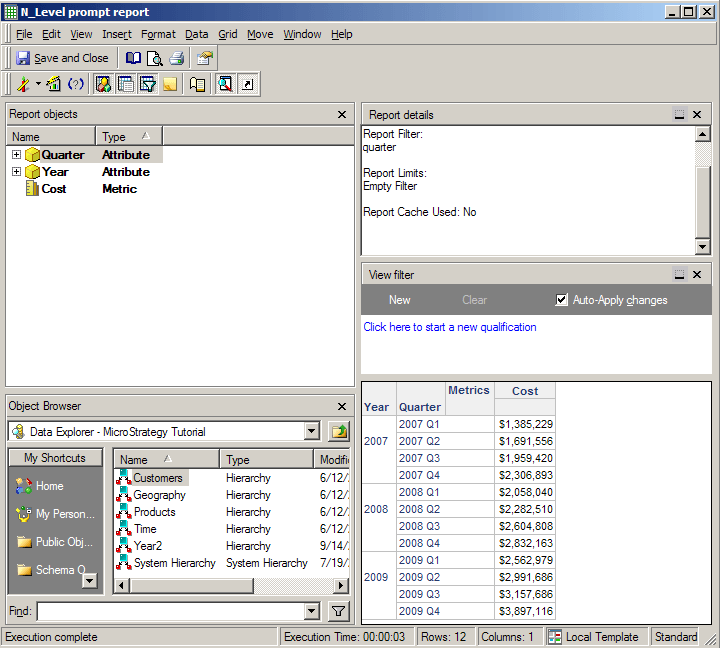
  • Once the filters for 'Year' and 'Quarter' are created, in the above technical note the lowest level of the prompts is placed on the report.  For instance, in this case the 'Quarter' filter is placed on the report.  However, if the second prompt has no answers selected then the first prompt is ignored. 

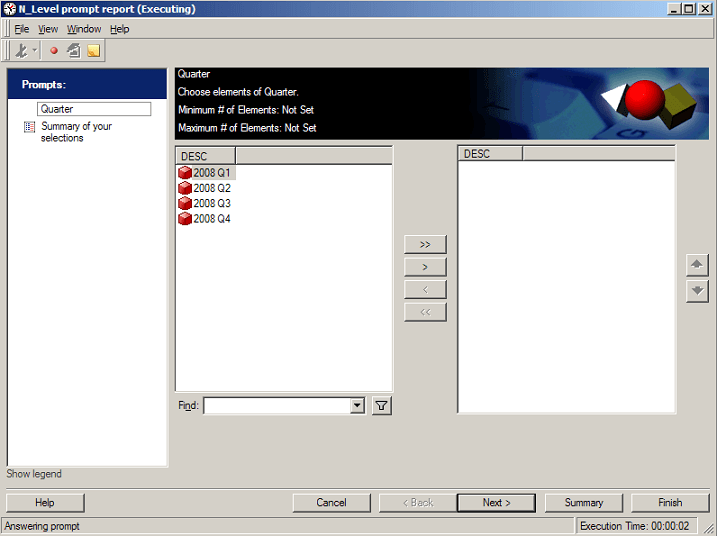
    Looking at the screenshot below this prompt is filtering on the highest level.  When selecting 2008 all quarters from the year 2008 will show in the next prompt.  
ka02R000000kbuBQAQ_0EM440000002DZI.png
  • Now, do not select a quarter for the year 2008.  By doing this the first prompt selection for the year 2008 will be ignored, causing all the years to display.

ka02R000000kbuBQAQ_0EM440000002DZ5.png
  • Notice how the filter for 'Year' is not applied because no quarters were selected.
ka02R000000kbuBQAQ_0EM440000002DZF.png
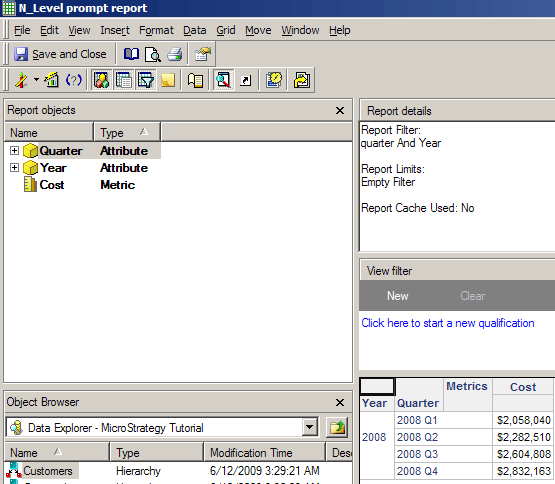
  • The prompts themselves do not need to be modified in order for this to work.  Go back into the report design and add in the 'Year' filter as well using the logical operator 'AND' between the two.

ka02R000000kbuBQAQ_0EM440000002DZG.png
  • Once the other filter is added, if no quarters are selected for a given year then the 'Year' filter will still apply, causing all the quarters for the given year will be selected as well.
ka02R000000kbuBQAQ_0EM440000002DZD.png

Comment

0 comments

Details

Knowledge Article

Published:

June 6, 2017

Last Updated:

June 6, 2017