When exporting a grid or Report Services Document to Microsoft Excel in Strategy Web, users experience the following error within Excel:
Unable to complete the export request due to the memory governing limit for Excel exporting.
This issue occurs because the value for the Intelligence Server governing limit for Excel file generation is being hit.
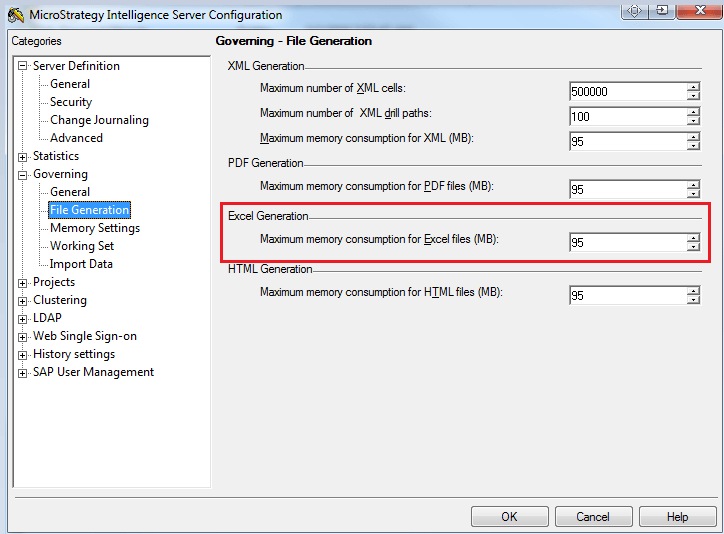
This issue can be resolved by increasing the following governing setting in the Strategy Intelligence Server Configuration:
1. In Developer, Right Click the Project Source
2. Configure Strategy Intelligence Server
3. Navigate to 'Governing > File Generation
4. Under the Excel Generation, Increase the MB value for "Maximum memory consumption for Excel files (MB)"
Follow along with this documentation to export a report to Excel.
