EducationSoftwareStrategy.com
StrategyCommunity

Knowledge Base

Product

Community

Knowledge Base

TopicsBrowse ArticlesDeveloper Zone

Product

Download SoftwareProduct DocumentationSecurity Hub

Education

Tutorial VideosSolution GalleryEducation courses

Community

GuidelinesGrandmastersEvents
x_social-icon_white.svglinkedin_social-icon_white.svg
Strategy logoCommunity

© Strategy Inc. All Rights Reserved.

LegalTerms of UsePrivacy Policy
  1. Home
  2. Topics

KB37800: The re-prompt button does not appear after executing a prompted report in MicroStrategy Web 9.x.


Community Admin

• Strategy


This technical note describes an issue in MicroStrategy Web 9.x where the re-prompt button does not appear after executing a prompted report. This defect has been fixed in MicroStrategy Web 9.3.0. Upgrade to take advantage of the fix.

SYMPTOM:
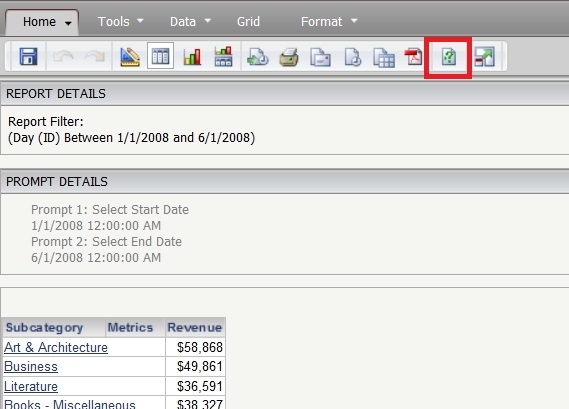
After execution of a prompted report in Strategy Web 9.x, users are no longer able to see the re-prompt button, as shown in the following screenshot:
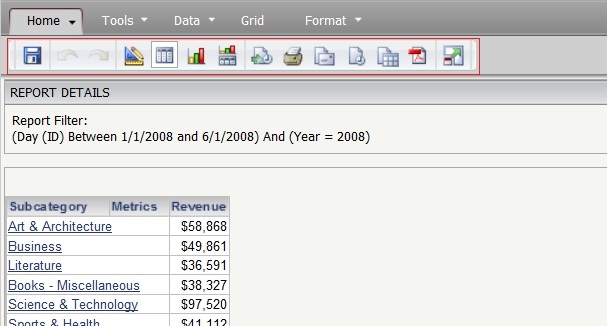
ka04W000000ObIkQAK_0EM4400000027Sv.jpeg

STEPS TO REPRODUCE:

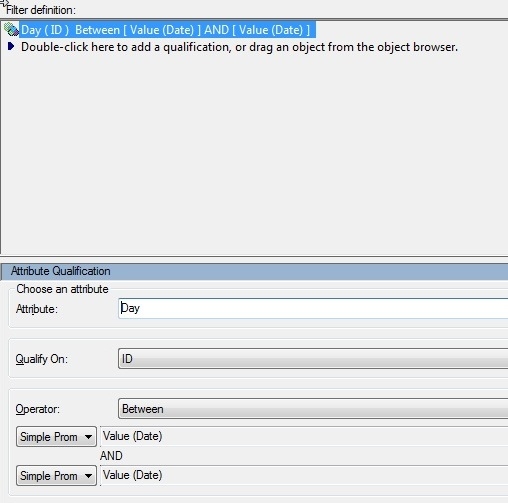
  • Create a filter with an embedded prompt.  For example, filter on the Date attribute where Date ID is between two prompted values).
ka04W000000ObIkQAK_0EM4400000027Sw.jpeg
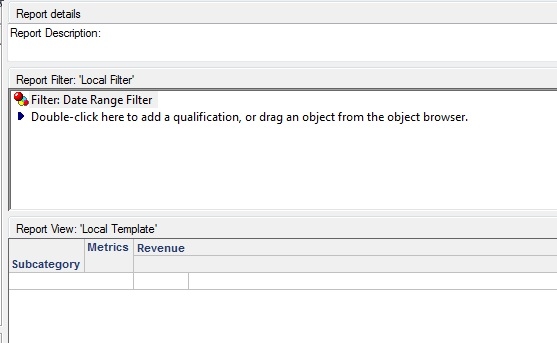
  • Create a report with this filter.
ka04W000000ObIkQAK_0EM4400000027So.jpeg
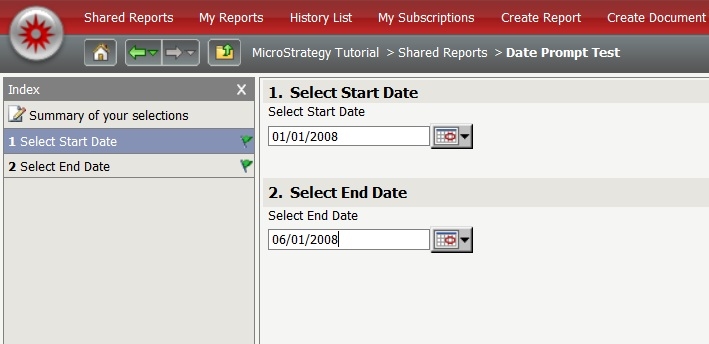
  • Execute the report from step 2 in Strategy Web and answer the prompts (prompt answers do not matter for this reproduction case).
ka04W000000ObIkQAK_0EM4400000027Su.jpeg
  • The re-prompt button is shown on the toolbar (as expected).
ka04W000000ObIkQAK_0EM4400000027Sp.jpeg
  • Return to the design view of the report in Strategy Web and add a filter object.
ka04W000000ObIkQAK_0EM4400000027Sr.jpeg
  • Without saving the report, re-execute it and notice that there is no longer a re-prompt button.
ka04W000000ObIkQAK_0EM4400000027Sq.jpeg

CAUSE:
This is a known issue in Strategy Web 9.x.
ACTION:
This issue has been fixed in Strategy Web 9.3.0. Upgrade to this version to take advantage of the fix.
WORKAROUND:
After adding an additional filter to the report (via step 5 from above), save the report before re-executing it. 
37800


Comment

0 comments

Details

Knowledge Article

Published:

June 13, 2017

Last Updated:

March 31, 2019