SYMPTOM:
When running a data load in Strategy Enterprise Manager, it fails with the following error:
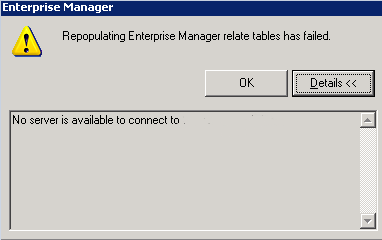
Sample Code/Error
Repopulating Enterprise Manager relate tables has failed.
No server is available to connect to <project name>
CAUSE:
One possible cause of this issue is a conflict with the HOSTS file on the Enterprise Manager client machine. This may cause Enterprise Manager to fail to recognize the server name when attempting to connect to the Intelligence Server to obtain the list of projects for the data load.
ACTION:
This issue may be corrected by modifying the HOSTS file on the Windows Enterprise Manager machine to include all entries for a machine on a single line separated by a space instead of on separate lines. For example:
Instead of the following configuration
xx.xxx.xxx.xxx. localhost
xx.xxx.xxx.xxx <machine name>
xx.xxx.xxx.xxx <fully qualified machine name>
use the following syntax:
xx.xxx.xxx.xxx. localhost
xx.xxx.xxx.xxx <machine name> <fully qualified machine name>
Do this for all IP addresses, reboot the Enterprise Manager machine, and trigger the data load again.
NOTE: Ensure you have a backup of the hosts file before making above recommended modifications to system files.
