SYMPTOM:
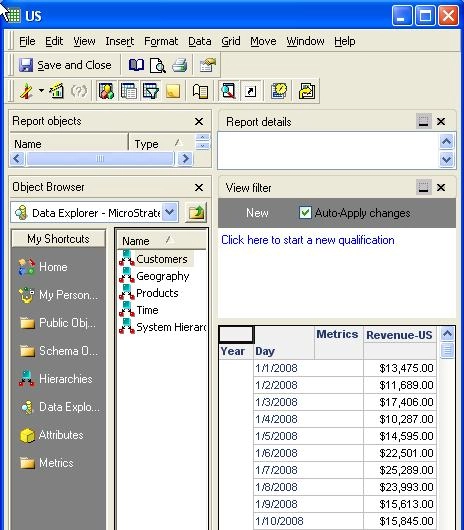
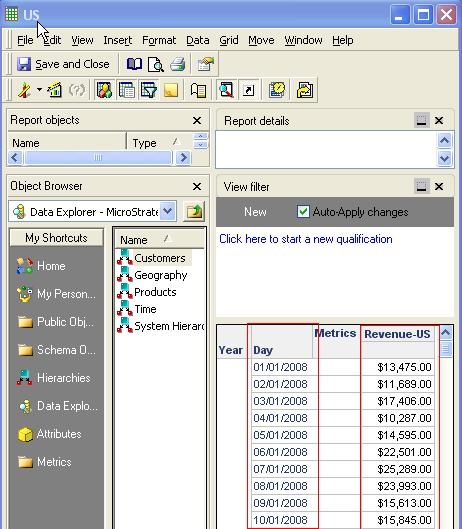
The US currency symbol '$' in a metric in a report is not transformed to UK currency symbol '£' after changing system locale on the machine to United Kingdom in Strategy Developer 9.4.x-10.x.
STEPS TO REPRODUCE:
CAUSE:
The currency symbol is one of the metric formatting settings, and is therefore a part of the metric object and gets stored in the metadata.
ACTION:
There are a couple of ways to change the currency symbol:
Instead of going through each report and metric to change the currency symbol, users can use the Find and Replace tool in Developer to select a certain number of metrics and change the formatting to use '£' instead of '$'. This will overwrite the metric level formatting, however if the metric was formatted through the report, it will not get overwritten as the report level changes takes precedence over the metric level.
Instead of going through each report and metric to change the currency symbol, users can use the Find and Replace tool in Developer to select a certain number of metrics and change the formatting to use '£' instead of '$'. This will overwrite the metric level formatting; however if the metric was formatted through the report, it will not get overwritten as the report level changes takes precedence over the metric level.
