SYMPTOM:
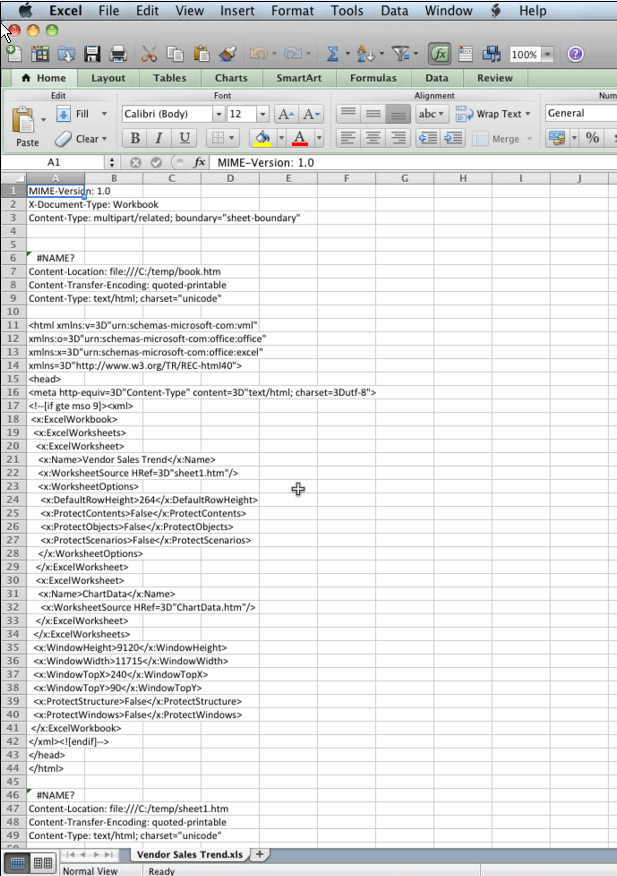
When exporting to Excel using Strategy 9.x using a Mac with the correct specifications that are listed in the Readme file for version of Microsoft Office 2011, Excel still shows XML in the spreadsheet as the image below:
CAUSE:
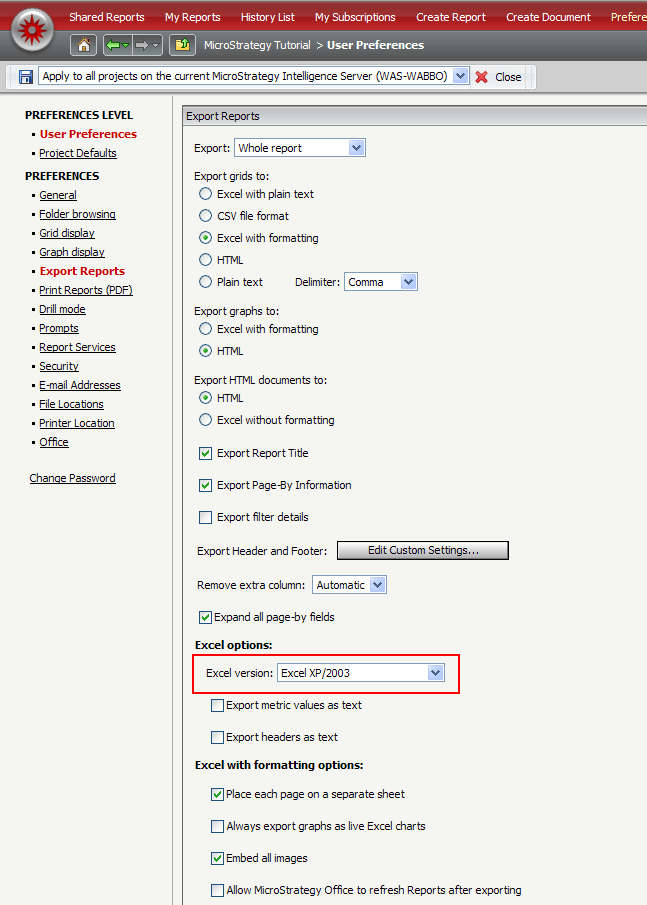
This happens if the Project and/or User Preferences in Strategy Web 9.x for exporting for Excel is set to Excel 2003.
ACTION:
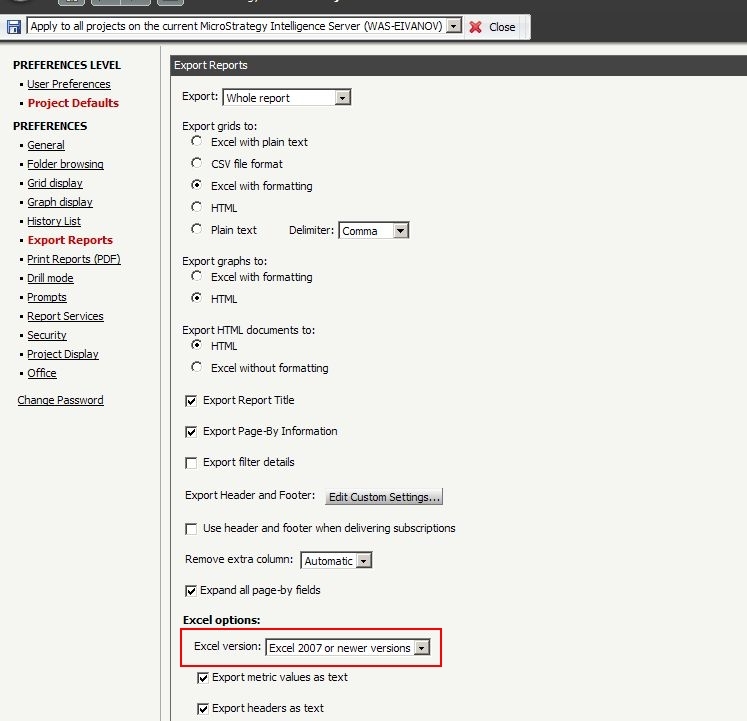
For the export to display correctly on a Mac, the user needs to change the export format for Excel under Project and/or User defaults to Excel 2007 and rerun the report to generate the proper Excel format.
WORKAROUND:
Export in plaintext Excel instead of Excel with formatting.
