SYMPTOM:
User can't reach the cache created by another user with full access or the administrator.
If this is the case, verify the SQL generated by the user that can hit cache and the user that can't hit the cache, the SQL will likely be different.
CAUSE:
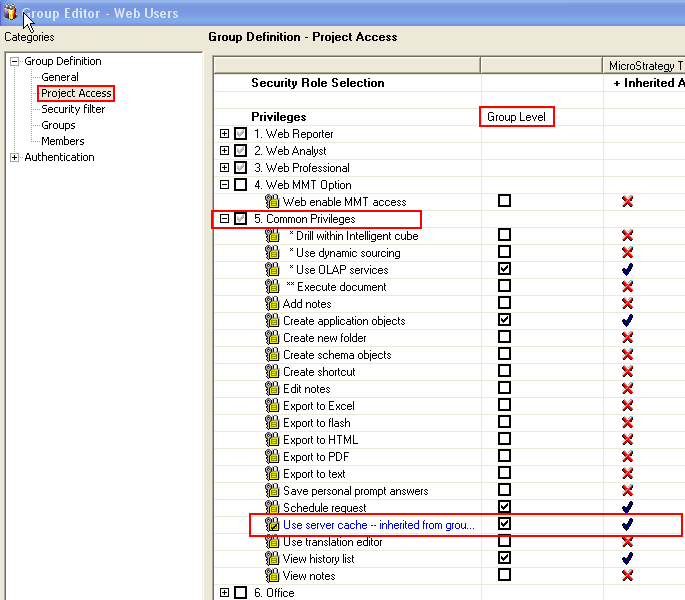
A possible cause for this is that the 'User Server cache' at group level is disabled.
ACTION:
In Strategy Developer, under the project source expand the Administration menu, go to the User Manager subsection and edit the group the user in question belongs to.

To edit the group, right click and select edit or double click on the group the user belongs to

Go to Project Access and under 5. Common Privileges enable 'Use Server cache' at group level by check the box under Group Level as shown in the screen shot below.