After selecting the setting '"Select ID and other forms if they are on template and already available in existing join tree" for the VLDB property "Attribute Form Selection Option for Intermediate Pass", located under the "Select / Insert" section, users may note that only the ID form of the attribute is referenced in the first pass of SQL. Other attribute forms appear only in the second or subsequent passes.
STEPS TO REPRODUCE:
This issue can be reproduced in the Tutorial project as follows:
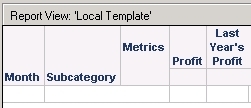
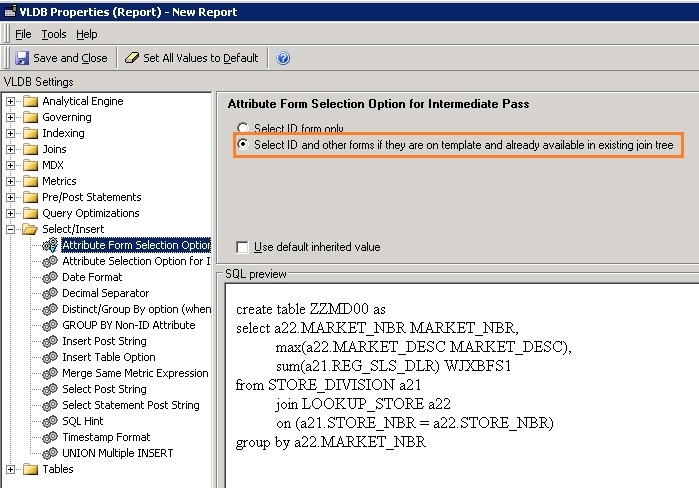
EXPLANATION:
This behaviour is by design. As implied by the description of the option under the VLDB property, “Select ID and other forms if they are on template and already available in existing join tree”, enabling this will not result in the SQL Engine changing the join tree. This means that there will be no joins to additional tables to fetch forms other than the ID.
Taking the report in Tutorial as an example, in the first temporary table, it is only necessary to join the tables “” and “” to obtain values for the "Profit" metric. As a direct consequence of this, no other form appearing on the template other than the ID one is fetched. However, for the other metric, “Last Year’s Profit”, access to the table “LU_Month” is also required in order to calculate the transformation. The Month DESC form is obtained from it, but the Subcategory DESC form is still missing, so LU_SUBCATEG is joined in the final pass.
The principle purpose of the VLDB property in question is to improve performance. This makes it possible to fetch the DESC form, which is available in the join tree in the temporary table, so that it is not necessary to obtain it in the final pass.
