EducationSoftwareStrategy.com
StrategyCommunity

Knowledge Base

Product

Community

Knowledge Base

TopicsBrowse ArticlesDeveloper Zone

Product

Download SoftwareProduct DocumentationSecurity Hub

Education

Tutorial VideosSolution GalleryEducation courses

Community

GuidelinesGrandmastersEvents
x_social-icon_white.svglinkedin_social-icon_white.svg
Strategy logoCommunity

© Strategy Inc. All Rights Reserved.

LegalTerms of UsePrivacy Policy
  1. Home
  2. Topics

KB38100: When users try to share links to history list sent from Distribution Services in MicroStrategy 9.x and 10.x users receive the "Job Expired" error message.


Community Admin

• Strategy


When users try to share links to history list sent from Distribution Services in MicroStrategy 9.x and 10.x users receive the "Job Expired" error message.

SYMPTOM:
 
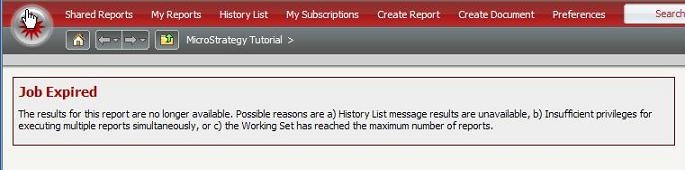
UserA receives the "Job Expired" error message as seen below when trying to access link history list sent from Distribution Services to UserB:
 

ka04W000000Oh2nQAC_0EM440000002AYE.jpeg

 
STEPS TO REPRODUCE:

  1. Create an email subscription for a report and send it to UserA and UserB making sure to select send 'Link to history list in email'.
  2. If UserA then tries to access the link sent to UserB, they will get the "Job Expired" message seen above.

CAUSE:
 
This is expected behavior as history lists are specific per user and cannot be shared and accessed by other users.
 
ACTION:
 
Do not share link to history list between users.
 
WORKAROUND:
 
If users want to share access to a report, create a file subscription and save it in a shared location for all users to access. Or in Web, share a link to a report between multiple users.


Comment

0 comments

Details

Knowledge Article

Published:

June 6, 2017

Last Updated:

June 6, 2017