In some of the application servers users would have to rebuild the war file after making any changes to the files, like placing the new custom plugins under the plugins folder, and redeploy the war file.
In order to build a war file proper java commands have to be used as explained below.
The jar command can be used to build a war file and requires a Java Development Kit (JDK) to be installed on the machine. Make sure you specify the path to the JDK under the environment variables so that the jar command is recognized from any location.
Now users can go to the directory containing the exploded files from the command line for example D:\apache-tomcat-5.5.27\webapps\9.0.2 and give the follwing command so that all the contents under the 9.0.2 folder are archived into a war file
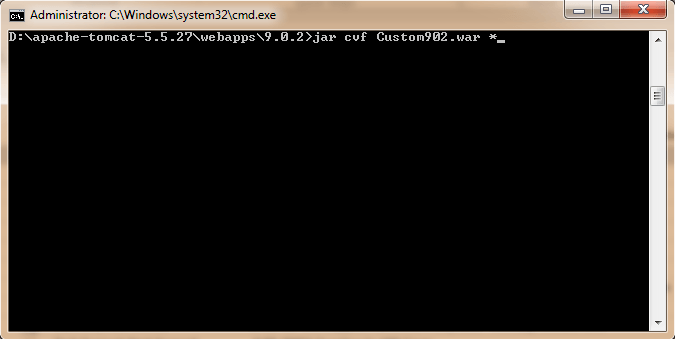
coption indicates that you want to create a JAR file.
foption indicates that you want the output to go to a file rather than to stdout.
Third Party Software Installation WARNING
The third-party product(s) discussed in this technical note is manufactured by vendors independent of Strategy. Strategy makes no warranty, express, implied or otherwise, regarding this product, including its performance or reliability.
