SYMPTOM:
When updating structure of a table using Warehouse Catalog in Strategy Developer 2021, the following error occurs:

The table 'table_name' was not found in the warehouse catalog. Therefore, the table structure cannot be read or updated.
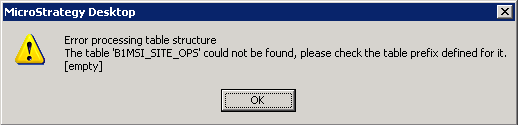
Error processing table structure
The table '<table_name> could not found, please check the table prefix defined for it.

Thereby, the table should use the default prefix associated with the project primary database instance. On checking the warehouse database, the table is indeed found to be present with the correct prefix.
CAUSE:
This is a known issue with Warehouse Catalog in Strategy Developer 2021.
ACTION:
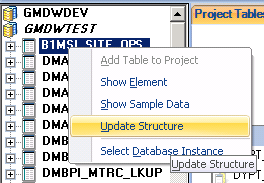
Both checking sample data and updating table structure can be successfully performed using Graphical Architect in Strategy Developer:
Additionally, when updating table structure through Graphical Architect for any one table, with the option to 'Ignore current table name space when reading from the database catalog and update using new table name space' selected, the prefix in the backend for all physical table objects is refreshed:
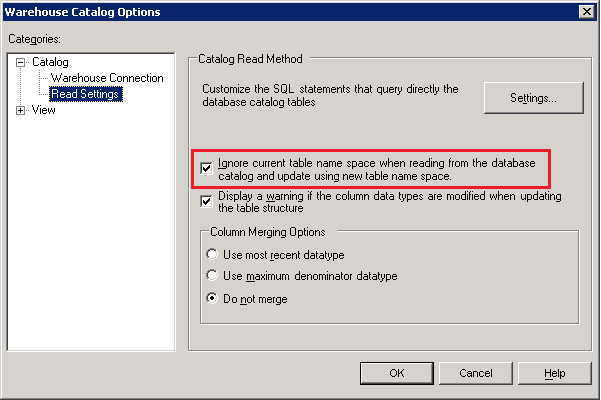
Once this has been done and 'Update Schema' performed, Warehouse Catalog is able to check sample data and update table structure successfully.
