There are different holding positions for different type of devices (Landscape or Vertical ) . Documents can be displayed in different views under different screen resolutions.
Every view should include the same document elements (datasets , graphs , selectors , shapes, text field etc.) Element sizing and position can be different.

In order to add a new view the steps are as follows :
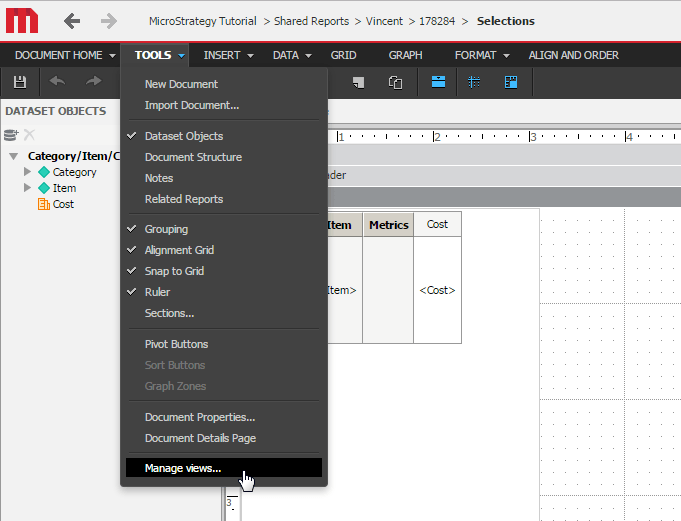
Step 1: Go to the document in Strategy Web and under Tools --> Manage Views in document design mode.
Step 2: Fill in the Name and Resolution to add a new view.

Step 3: Select the orientation from the drop down list.
