In Strategy Desktop 9.x or Strategy Developer 10.x, launch the File Device Editor and in the Advanced Properties tab, there is an 'Encrypt' option in the "File Properties" section as shown below:
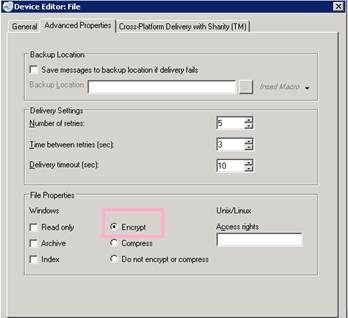
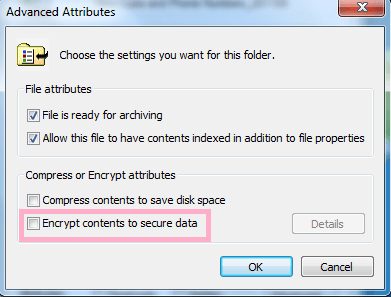
This feature will set a Windows attribute “encrypt” to the files that are delivered by Strategy Distribution Services. When the "Encrypt" option is checked in the file device, Distribution Service delivered file with device level setting “encrypt” will result in a file with the following Windows advanced encrypt option checked as shown below:
1. Right mouse click any file in the system, then go to Properties > Advanced as shown below:
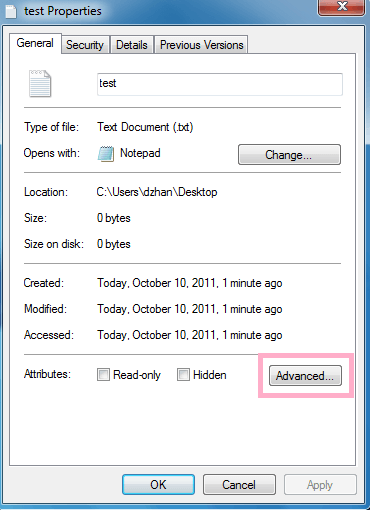
2. Click the “Advanced” button, There is an Encrypt option reads “Encrypt contents to secure data” as shown below: