How an Intelligent Cube is chosen to be hit if there are multiple Intelligent Cubes available for Dynamic Sourcing in Strategy 9.x?
In Strategy 9.x with Dynamic Sourcing enabled and multiple Intelligent Cubes available, which Intelligent Cube to access has nothing to do with the Cube name or the object ID. Which cube is chosen depends on the sizes of the cubes. The Cube published timestamp will only be taken into consideration if multiple cubes of the same size and with the same data exist.
Following are the rules Dynamic Sourcing adapts to pick the suitable Intelligent Cube for its source data.
Reproducing steps in a 3-tier Tutorial project:
Pre-requisite:
Dynamic Sourcing must be enabled by going to Project Configuration ->Intelligent Cubes ->General ->Enable Dynamic Sourcing. Refer to the following technical note on Dynamic Sourcing best practices:
KB36667 Best practices for Dynamic Sourcing in Strategy 9.x
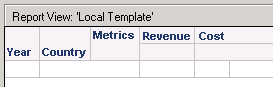
1. Create an Intelligent Cube named Q1, with attributes Year, country and metrics Revenue, Cost in its template as shown below (It must be published):
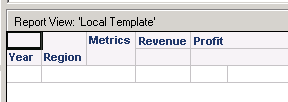
2. Create an Intelligent Cube named Q2, with attributes Year, Region and metrics Revenue, Profit in its template as shown below (It must be published):
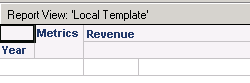
3. Create a report called New Report with the attribute Year and metric Revenue in its template as shown below:
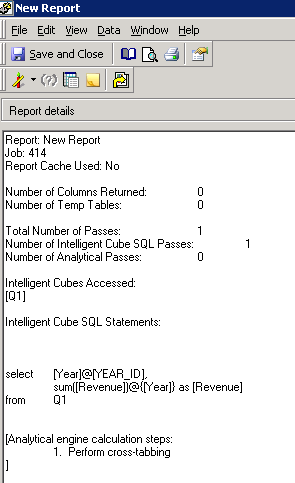
4. Execute the New Report, and check SQL view. Intelligent Cube Q1 is accessed as shown below:
5. Navigate to Administration>System Monitors>Caches>Intelligent Cube, notice that Q1 has a smaller size as shown below:

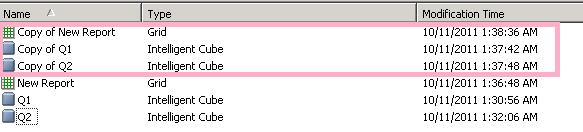
6. Copy the Intelligent Cube Q1 to copy of Q1, Q2 to copy of Q2, and publish the new copies; duplicate New Report to Copy of New Report as shown below:
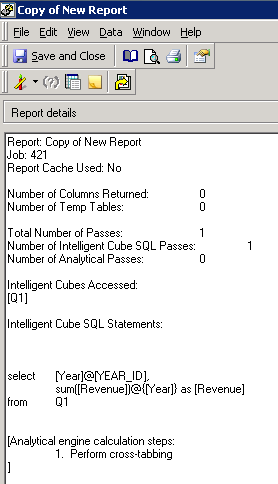
7. Execute Copy of New Report, and check the SQL view. Intelligent Cube Q1 is accessed as shown below:
8. Navigate to Administrator>System Monitors>Caches>Intelligent Cube, notice that Q1 and Copy of Q1 have the same size but Q1 has an earlier publish timestamp as shown below:

