The Results Set Row Limit Very Large Database (VLDB) setting places a limit on the number of rows that can be returned for the final SQL pass from a report execution. This setting can be found under the governing folder of the VLDB Editor, as illustrated below.
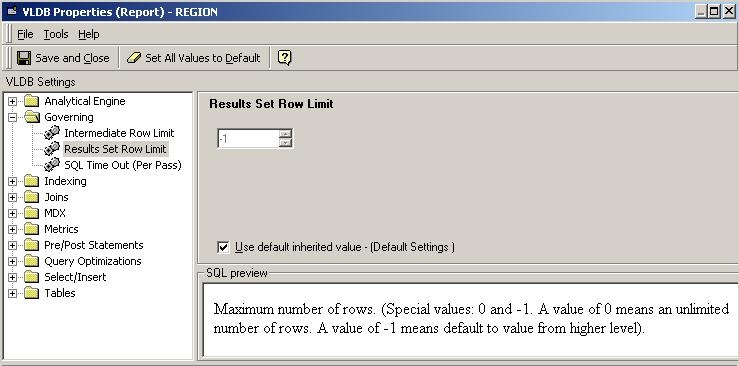
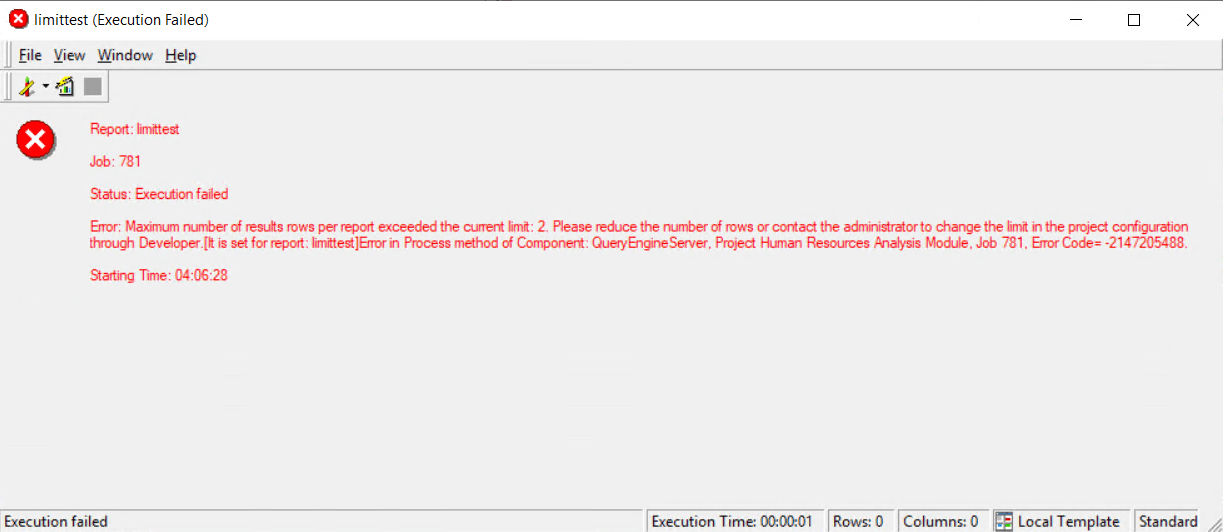
If the setting is set to '0,' there is no limit on the number of rows being returned to the client. If a positive value is entered, then all reports which return rows that are less than or equal to the setting value are executed correctly. If the number of rows returned exceeds the limit, an error message similar to the error message below is returned. This setting can be set at the report level only. This behavior is same for both 2-tier and 3-tier environments.
Status: Execution failed Error: Maximum number of results rows per report exceeded the current limit: 1. Please reduce the number of rows or contact the administrator to change the limit in the project configuration through Developer.[It is set for report: limittest] Error in Process method of Component: QueryEngineServer, Project Human Resources Analysis Module, Job 892, Error Code= -2147205488.
There is a difference in the behavior between the 2-tier and 3-tier environment modes if the user does not set a value to the setting by leaving the 'Use default inherited value' checkbox checked in the VLDB editor. This difference in behavior is explained below.
2-Tier Environment:
If users do not set a value to the setting by leaving the 'Use default inherited value checkbox' checked, the behavior is equivalent to the setting set to '0,' in which case there is no limit on the number of rows.
3-Tier Environment:
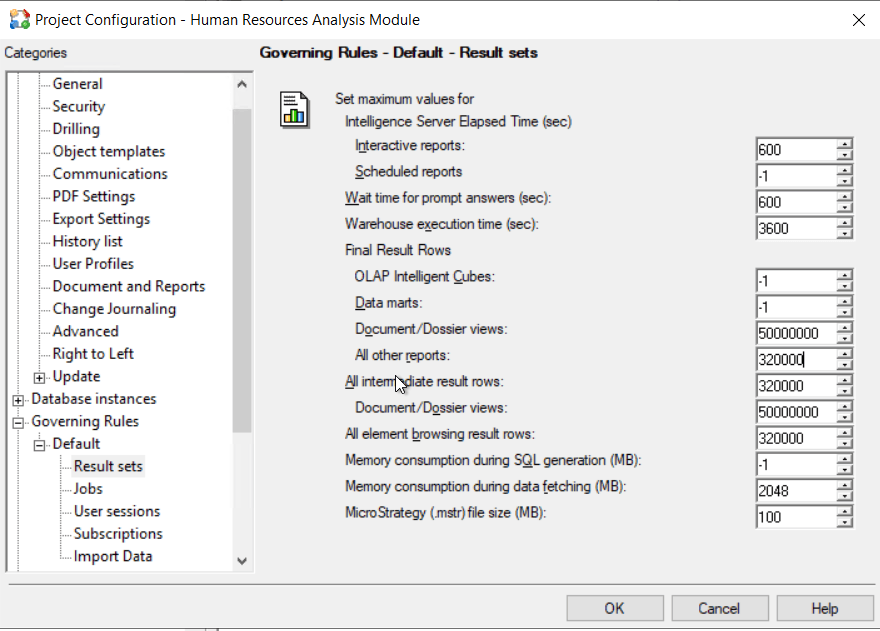
If users do not set a value to the setting by leaving the 'Use default inherited value' checkbox checked (or equivalently use the value '-1'), the 3-tier behavior is different from the 2-tier behavior. In such a case the setting value is picked from the Governing tab of the Project Configuration Editor, as illustrated below. Under the Governing tab of the Project Configuration editor, the value corresponding to the 'Number of result rows' label is the value used by Strategy SQL Generation Engine as the value for the Results Set Row Limit VLDB setting. By default, this is set to '32000.' If set to '0' or '-1', there is no limit on the number of rows returned to the client.
If users suspect that a particular report should fail or execute depending on the setting modification, they must ensure they are not hitting the cache when executing the report.
When the report contains a custom group, this property is applied to each element in the group. Therefore, the final result set displayed could be larger than the predefined setting. For example, if you set the Result Set Row Limit to 1,000, it means you want only 1,000 rows to be returned. Now apply this setting to each element in the custom group. If the group has three elements and each uses the maximum specified in the setting (1,000), the final report returns 3,000 rows.
