This technote explains how to disable the re-prompt button in Strategy Web 9.x for a selected set of users.

In Strategy Web 9.x, toolbar items can be disabled using the Customization Editor.
In order to accomplish this, make sure the Customization Wizard is set up properly. For information on how to set up the Customization Wizard, refer to the MSDL article:
Introduction to Web Customization Editor
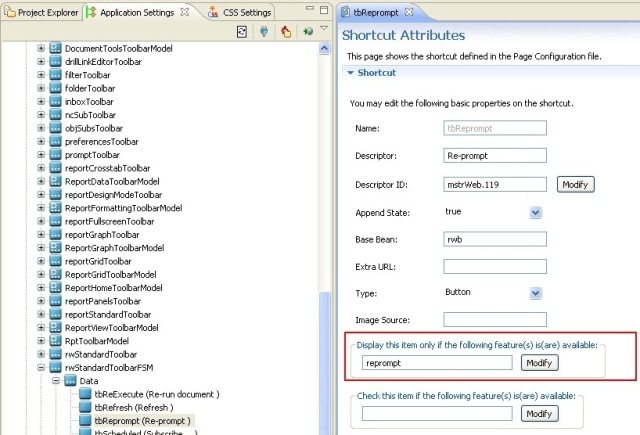
The ‘Re-Prompt’ toolbar item can be found in the rwStandardToolbarFSM toolbar. In order to limit the view on this option, a feature that defines the set of users for whom access is limited needs to be set up. Here are high level steps to carry out this customization:
38260
