SYMPTOM:
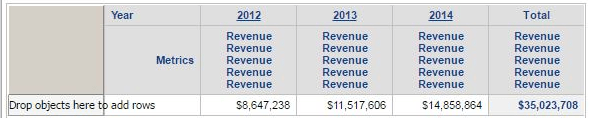
In Strategy Web, the header text does not wrap the metric name in the totals column.
STEPS TO REPRODUCE:
1. Create a report with Year and Revenue in the columns.
2. Give Revenue the column alias 'revenue revenue revenue', or an alias of sufficient length to wrap.
3. Fix the width of the metric column to at least 1 inch.
4. Select 'Show Totals' under 'Data.'
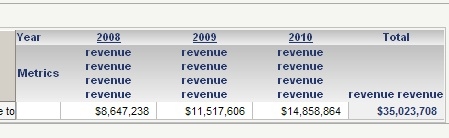
5. Notice how 'revenue revenue revenue revenue' in the total column does not text wrap:
CAUSE:
This issue has been identified as a defect.
ACTION:
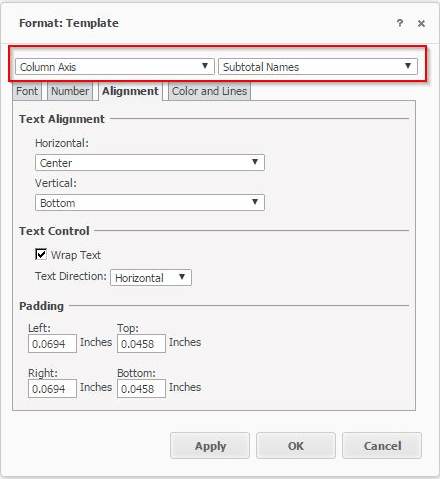
This issue has been addressed in Strategy Web 10.4. Upgrade to this version to take advantage of this fix and follow these steps.