EducationSoftwareStrategy.com
StrategyCommunity

Knowledge Base

Product

Community

Knowledge Base

TopicsBrowse ArticlesDeveloper Zone

Product

Download SoftwareProduct DocumentationSecurity Hub

Education

Tutorial VideosSolution GalleryEducation courses

Community

GuidelinesGrandmastersEvents
x_social-icon_white.svglinkedin_social-icon_white.svg
Strategy logoCommunity

© Strategy Inc. All Rights Reserved.

LegalTerms of UsePrivacy Policy
  1. Home
  2. Topics

KB38421: Sorting sequence is not maintained when drilling in a grid report in MicroStrategy Developer 9.x and 10.x


Stefan Zepeda

Salesforce Solutions Architect • Strategy


Sorting sequence is not maintained when drilling in a grid report in MicroStrategy Developer 9.x and 10.x

SYMPTOM:
 
Sorting sequence is not maintained when drilling in a grid report in Strategy Developer 9.x and 10.x.
 
STEPS TO REPRODUCE:
 
Follow the steps below to reproduce the issue in Tutorial project in Strategy Developer 9.x and 10.x:
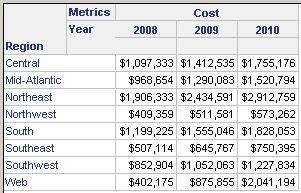
  1. Create a report with attribute “Region”, “Year” and Metric “Cost”. Move the attribute "Year" in column. the grid view is shown as below:
ka02R000000kbx8QAA_0EM440000002DSD.png


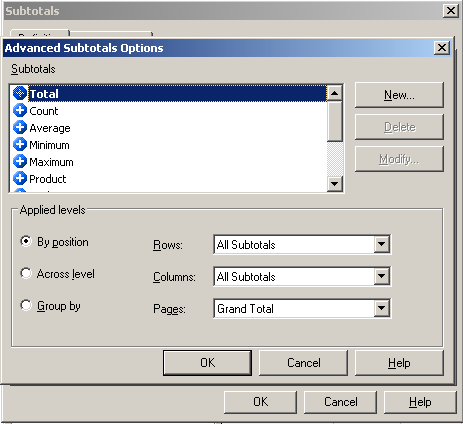
  • Enable “Subtotal”, set "Subtotal positions by column" as "Left of each level", as shown below:
ka02R000000kbx8QAA_0EM440000002DSX.png


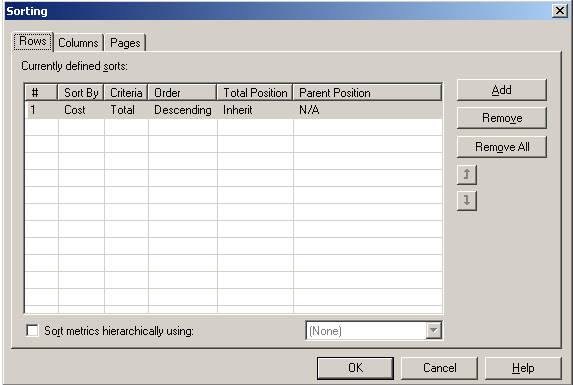
  • Edit sorting, as shown below:
ka02R000000kbx8QAA_0EM440000002DSW.png


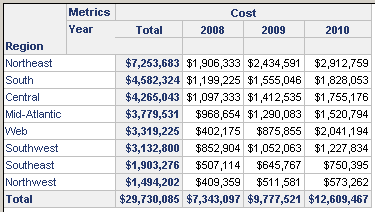
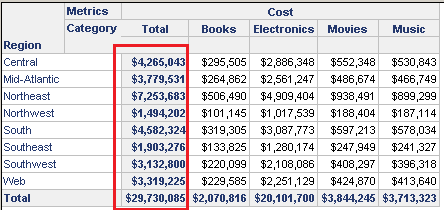
  • Run the report, the sorting works as expected, as shown below:
ka02R000000kbx8QAA_0EM440000002DSa.png


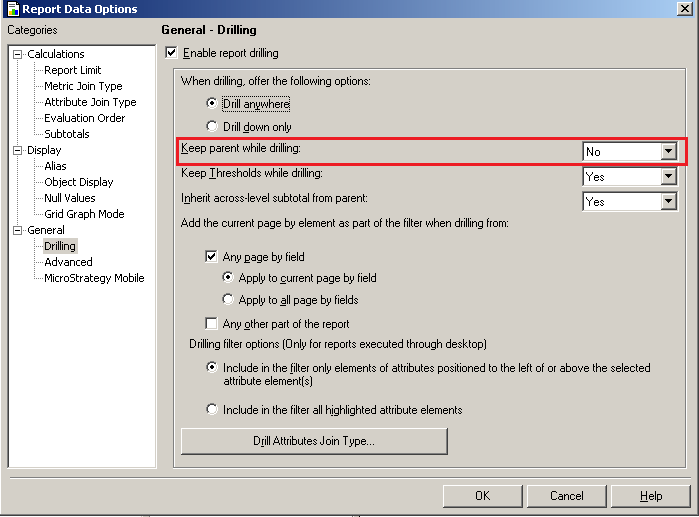
  • Configure report data option, disable Keep parent when drilling, as shown below:
ka02R000000kbx8QAA_0EM440000002DSc.png


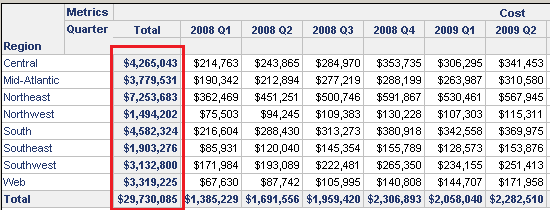
  • Drill on the grid in the same hierarchy, from "Year" to "Quarter". The sorting sequence is not maintanied, as shown below:
ka02R000000kbx8QAA_0EM440000002DSB.png


  • Drill in different hierarchies, from "Year" to "Category". The sorting sequence is not maintanied too, as shown below:
ka02R000000kbx8QAA_0EM440000002DSb.png


CAUSE:
 
It is a known issue in Strategy Developer 9.x and 10.x.
 
ACTION:
 
Contact Strategy Technical Support for an update on this issue.
  
WORKAROUND:
 
Configure report data option, enable "keep the parent when drilling", as shown below:
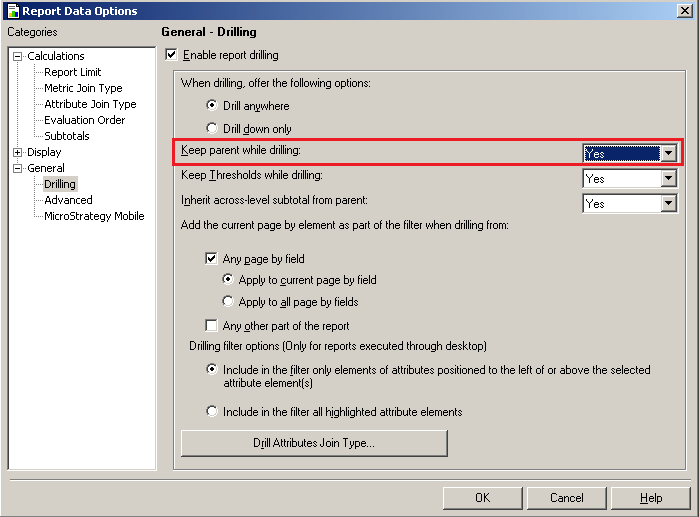
ka02R000000kbx8QAA_0EM440000002DSY.png

 
Then drill from "Year" to "Quarter". The sorting order will not change, as shown below:
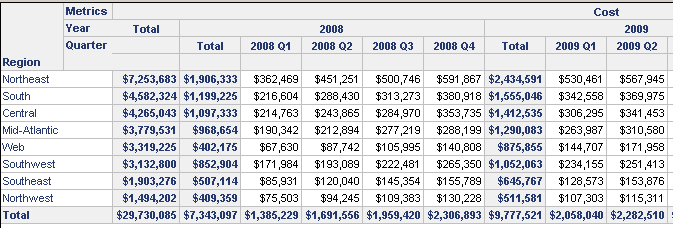
ka02R000000kbx8QAA_0EM440000002DSZ.png

 
Drill from "Year" to "Category". The sort order will not change too, as shown below:
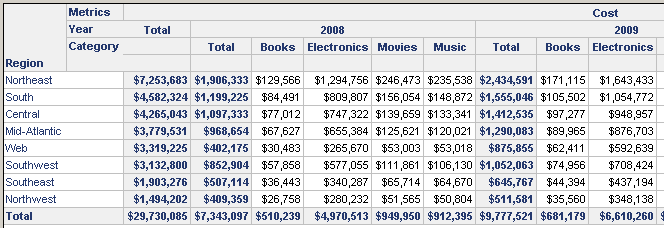
ka02R000000kbx8QAA_0EM440000002DSE.png


Comment

0 comments

Details

Knowledge Article

Published:

June 5, 2017

Last Updated:

June 5, 2017