Whenever in a prompt the user can filter for elements. The search has wildcards and certain functionality that should be noted. An example of a search that follows the following rules is below.
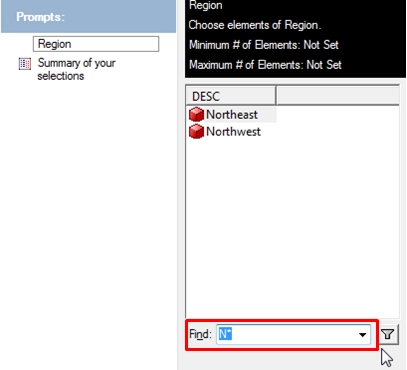
List of wildcards and their uses for prompt searches.
Any search string without any wildcard character (the character ‘*’) within it will be treated as the following: | foo | like “*foo*” |
If the string is of type Numerical or Date/Time, use the Equals operator and do not add any wildcard character to the search string. | 123 | 123 |
Any search string included within a pair of double-quotes is treated as a string literal and thus always use the Equals operator. If a string begins with a double-quote but misses the end quote, the rest of the string starting from the double-quote is treated a string literal. note: a”b”c = a “b” c = a OR “b” OR c | “abc” | “abc” |
A date should conform to the following formats in order to be recognized as a date. (a) mm/dd/yy (b) mm/dd/yyyy (c) dd/mm/yy (d) dd/mm/yyyy. Any date which can not be expressed in the above four formats, should be expressed as a string literal. A time should usually be enclosed within a pair of double-quotes since it often contains white-space characters. | (a) mm/dd/yy (b) mm/dd/yyyy (c) dd/mm/yy (d) dd/mm/yyyy | |
If the search string already contains wildcards (the character ‘*’), we do not add any more. Such a search string cannot be parsed into any numerical value or date/time. | | |
A blank white space, a comma, or the word OR indicates a logical OR operator between two conditions. Multiple forms are still OR’ed. If the above 3 OR operators appears either at the beginning of the end of a search string it is simply ignored. Note, a,b = a, b = a ,b = a , b = a OR b | foo bar | “*foo*” OR "*bar*" |
An ampersand character ‘&’ or the word AND indicates a logical AND operator between two conditions. Multiple forms are still OR’ed. If the above 2 AND operators appears either at the beginning of the end of a search string it is simply ignored. Note, a&b = a& b = a &b = a & b = a AND b | foo & bar | “*foo*” AND "*bar*" |
Search can be qualified on a particular AttributeForm if the AttributeForm name is enclosed within a pair of square brackets (‘‘) and is followed by a colon and a text | : France | This searches the region attribute for like "*france*" |
A minus-symbol (-) and the word NOT indicates a logical “AND NOT” on a condition. If the operator appears at the beginning of a search string, it is taken as “NOT” operator, if it appears at the end of a searching string, it is simply ignored. Note, a-b = a- b = a –b = a – b = a AND NOT b | foo - bar | “*foo*” AND NOT "*bar*" |
Range operators: A value can be preceded by a comparison operator to specify a range. For the time being, we only support the following comparison operators: Note the comparison operator must be the first character in an input or be preceded by blank spaces. | (a) ‘>’ (b) ‘<’ (c) “>=” and (d) “<=”. | |
AND and OR operators can not co-exist in one search string, although they can have multiple branches. | | |
