SYMPTOM:
When creating a report that has a metric qualification in the report filter Strategy is not able to generate SQL and the error message below is seen.
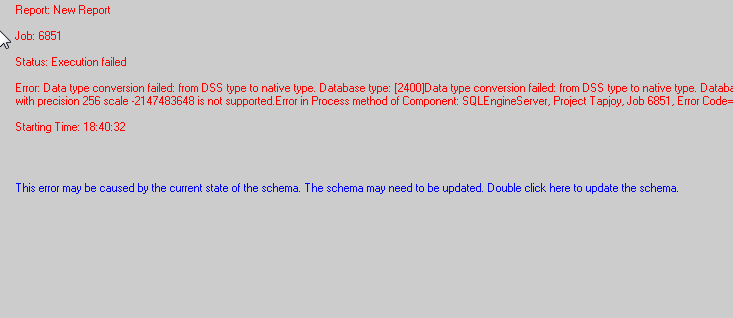
Sample Code/Error
Error: Data type conversion failed: from DSS type native type. Database type: Data type conversion failed: from DSS type to native type. Database type: SQLEngine got an Exception from DFC: Engine Logic: The column XXX datatype 18 with precision 256 scale -2147483648 is not supported. Error in Process method component: SQLEngineServer...
CAUSE:
When this error is seen, there is a datatype that is stored within the Vertica database as NVarChar with a precision of 256 bytes. However, Strategy only supports a precision of 255 for this. The issue is only encountered when temporary tables are needed within the SQL.
ACTION:
Change the precision within the Vertica database to 255 bytes or less and update the table structures within the warehouse catalog.
WORKAROUND:
There are two possible workarounds for this issue:
Workaround 1: Change the column alias to 255 bytes or less within the attribute editor and the SQL will generate fine when temporary tables are needed. Thus no issue will be seen with the metric qualification filters.
Workaround 2: If it is important to maintain a precision of 256 users can remove the metric qualification within the report filter and add it as a report limit.
