Prerequisites for SAP BI connectivity
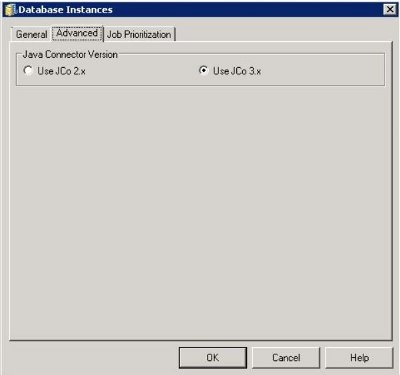
Strategy requires the following 2 files to be installed on the Strategy Intelligence Server machine, when using JCo 3.x connector files. These files are proprietary to SAP and must be obtained from the download area of the SAP One Support Launchpad : SAP One Support Launchpad. The version of the connector files is dependent on the version of the SAP BW server. Strategy does not certify/support a specific version of the connector files. Customers should use their own logins to access the SAP Service Marketplace.
For all supported UNIX/Linux platforms, the JCo 3.x connector files should be 64-bit.
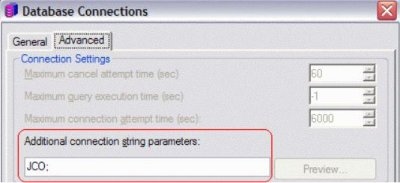
Strategy uses an additional Java executable, JCO.jar, as the bridge between the Strategy database connection process and SAP's Java Connector. JCO.jar is installed as part of the normal Strategy installation under /jar, where is the installation directory chosen during the installation procedure.
Configuration of the Strategy system environment
Perform the following steps to prepare the Strategy Intelligence Server machine for SAP BI connectivity.
sapjco3.jarlibrary to the
/jarlocation. For example, if the Strategy install directory is
opt/mstr/MicroStrategy/install, copy the
sapjco3.jarlibrary to
/opt/mstr/MicroStrategy/install/jar.
/jar.
JCO3.jar. The Strategy installer places it in the
jar/directory automatically and configures the registry accordingly. Changes to the
JCO3.jarpath will cause connectivity errors.
libsapjco3.sofile to the
/liblocation. For example, if the Strategy install directory is
/opt/mstr/MicroStrategy/install, copy the
libsapjco3.sofile to
/opt/mstr/MicroStrategy/install/lib.
Database instance configuration for SAP BW
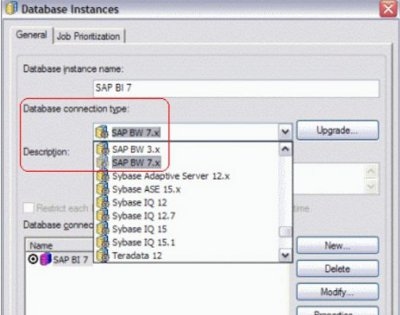
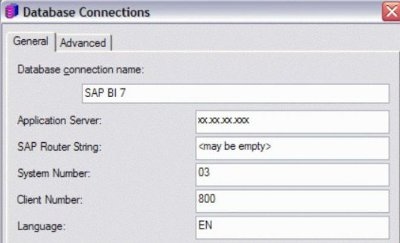
This is comparable to the Database Instance definition for SQL databases. Database Instance configuration takes place in Strategy Developer, which runs only in Microsoft Windows.