When rendering a large Report or Report Services Document on Strategy Mobile 9.x and 10.x for Android, the following error could show:
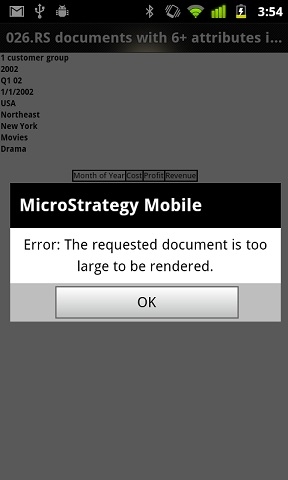
Sample Code/Error
Error: The requested document is too large to be rendered
This error shows because the binary limit is meet on the specific Android device. Different Android device have a different memory limit which could possibly allocate for application. This explains why the same document errors out on one device, but could render and display on a different device.
If the request exceeds that limit, Strategy app displays a message indicating that the document is too big and therefore cannot be rendered. Currently on the market, there are 5 different levels of maxheap size for different device: 16,24, 32, 48 and 64 MB. Out of those, Strategy certified devices fall in the last 3 groups. The binary limit is 20% of the device maxheap size. For example, the maxheap size for the Galaxy Tab 10.1 and the Xoom is 64MB and 48MB respectively. That means that on the Galaxy Tab our limit is 12.8MB and on the Xoom is 9.6MB. This limit is tied to the device type and cannot be changed.
To check what is the maxheap size is for each device, user can go to Android Market and download the "Advanced Tools". It is a free 3rd party software that helps to check the system value on the device. In the app, go to System Manager-->Memory:
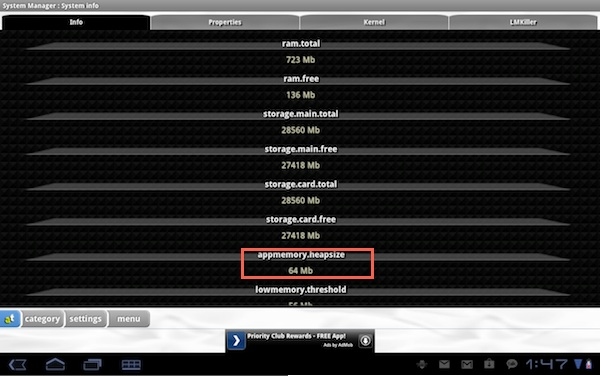
From the screenshot above, this device has 64MB maxheap size, therefore the binary limit for Strategy is 64MB * 20% = 12.8MB
Third Party Software Installation:
WARNING:
The third-party product(s) discussed in this technical note is manufactured by vendors independent of Strategy. Strategy makes no warranty, express, implied or otherwise, regarding this product, including its performance or reliability.
