SYMPTOM:
Reports disappear from the History folder in Strategy Developer as soon as the report or report details are requested or the report is marked as read and the folder is refreshed.
CAUSE:
By default, Strategy Developer does not display read messages in the History folder.
ACTION:
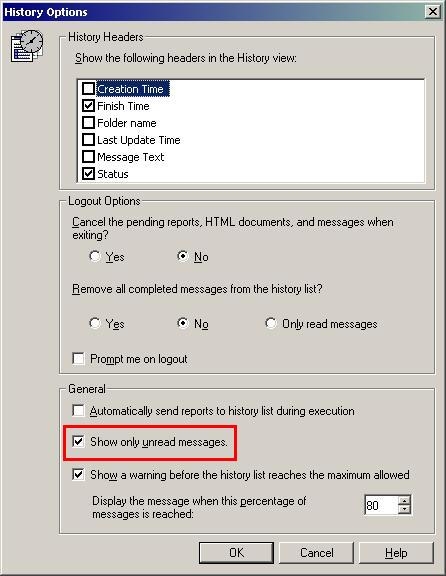
There are a few settings that affect the way the History box saves and displays messages. These settings can be found by going to Tools > Preferences > History.
The setting 'Show only unread messages' is selected by default. To display all messages, disable this setting.