EducationSoftwareStrategy.com
StrategyCommunity

Knowledge Base

Product

Community

Knowledge Base

TopicsBrowse ArticlesDeveloper Zone

Product

Download SoftwareProduct DocumentationSecurity Hub

Education

Tutorial VideosSolution GalleryEducation courses

Community

GuidelinesGrandmastersEvents
x_social-icon_white.svglinkedin_social-icon_white.svg
Strategy logoCommunity

© Strategy Inc. All Rights Reserved.

LegalTerms of UsePrivacy Policy
  1. Home
  2. Topics

KB38754: "An error exists on this page. Acrobat may not display the page correctly." error message appears when replacing an exported PDF file from MicroStrategy 9.x - 10.x in Adobe Acrobat


Community Admin

• Strategy


SYMPTOM
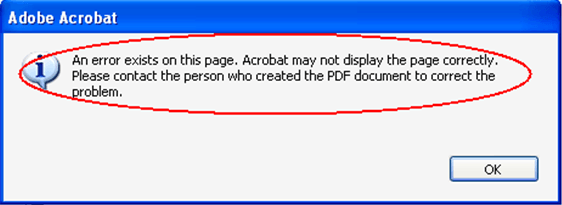
In some scenarios, it is required to create a PDF template with Adobe Acrobat Pro and replace it with a PDF report exported by Strategy 9.4.x - 10.x. When directly using "Replace" function in Adobe Acrobat, an error appears, as shown below:
 

ka04W000000ObylQAC_0EM4400000029wN.png

 
Error message


An error exists on this page. Acrobat may not display the page correctly.
Please contact the person who created the PDF document to correct the problem.
 
 
STEPS TO REPRODUCE
Follow the steps below to reproduce the issue in Tutorial project in Strategy 9.4.x - 10.x: 

  • Export a report in PDF from Strategy
  • Create a PDF template using Adobe Acrobat X Pro 10.0
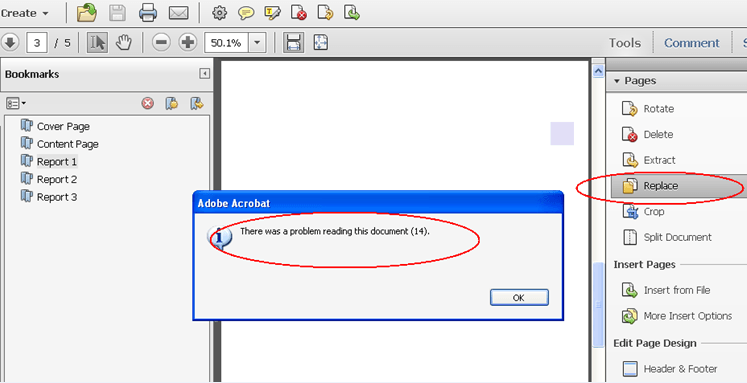
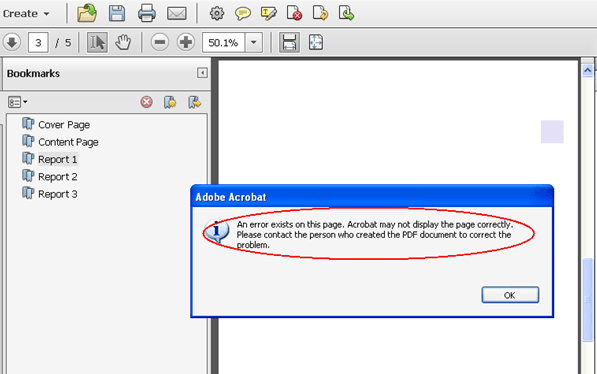
  • Replace its pages with PDF report exported from step 1. Error messages appear, as shown below:
     
ka04W000000ObylQAC_0EM4400000029wH.png
  • 
    There was a problem reading this document (14).

     
ka04W000000ObylQAC_0EM4400000029wL.png
  •  


    An error exists on this page. Acrobat may not display the page correctly.
    Please contact the person who created the PDF document to correct the problem.


CAUSE
Adobe does not read the resources related information (such as font and shading) from the Strategy generated PDF document correctly. 
 
WORKAROUND
Open the Strategy PDF Report using Adobe Acrobat   and re-save the PDF document. Then redo the "Replace" functions. Another possible workaround is to use "add" function instead of "replacing".


Comment

0 comments

Details

Knowledge Article

Published:

May 31, 2017

Last Updated:

May 31, 2017