When trying to run a dashboard in Strategy Web 9.x and newer the following error message is displayed:

MsiUserInBox: Failed to persist the results of this message. Please check that the cache configuration is proper and that the history list directory as specified in the
server definition exists on the Intelligence Server machine. MsiUserInBox: Failed to persist the results of this message. Please check that the cache configuratrion is
proper and that the history list directory as specified in the server definition exists on the Intelligence Server machine.
A possible cause for this is that the History List folder that stores messages is out of disk space and there is no replacement policy to delete messages as shown below:
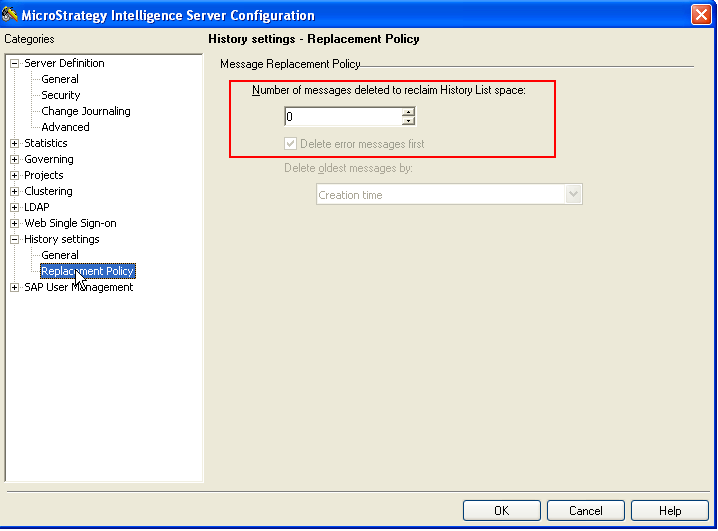
To prevent this from happening, right-click on the Project Source and select Configure Intelligence Server and under History Settings -> Replacement Policy and set number of messages to be deleted and the criteria to determine which message are deleted based on time and click OK as shown below:

Note: Refer to KB30337: New Feature in MicroStrategy 9.x: Message Replacement Policy for additional information on the Message Replacement policy feature.
Manually delete the history list messages.
