SYMPTOM:
When selecting a different delivery type for a contact under Delivery Managers, the Device drop down is blank as shown below
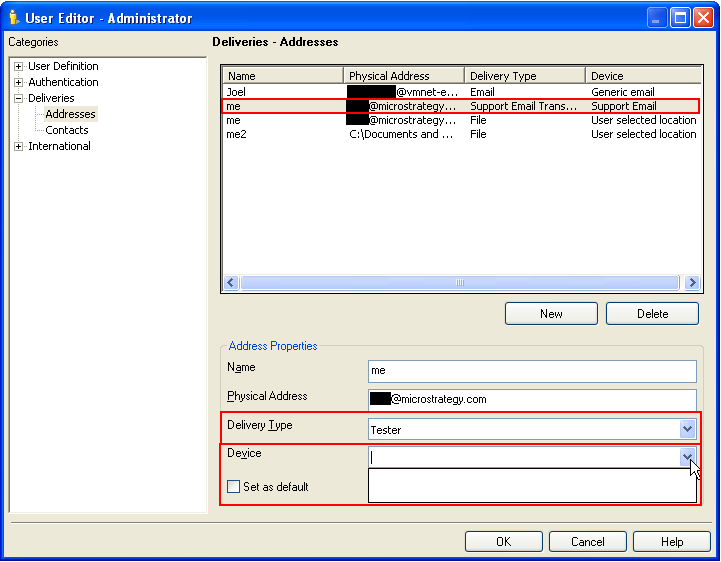
CAUSE:
The Delivery Type is also known as the Transmitter. The reason the device section is blank is because there are no devices that were created based on the selected transmitter.
ACTION:
To fix this issue, go to Administration -> Delivery Managers -> Devices and right click in the white space in the right pane and select New -> Device

Select the Transmitter/Delivery Type that should be associated with this new device and click OK.

Name the device and fill the description and click on MIME Options to edit the delivery options and click OK.


The newly created device should appear in the list under devices.
Go back to Contacts under Delivery Managers, modify the desired contact and the device should automatically populate when the desired Transmitter/Delivery Type is selected as shown below.

