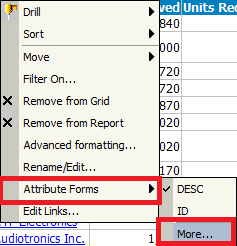
To display more attribute forms on report template, login Strategy Web with Web Analyst privilege "Web choose attribute form display", right click the attribute on report, click Attribute Forms -> More... in pop-up menu, as shown below:
NOTE: Refer to the following technical note for more details of attribute form display control:
KB12071: How to control attribute form display in MicroStrategy Web 9.x
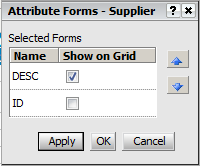
The above steps cannot display un-selected attribute forms on report template. Only the option 'Show on Grid' is available in Attribute Forms editor to set display for selected forms, as shown below:
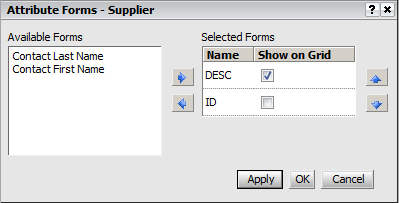
To display un-selected attribute forms on report template, login Strategy Web with Web Professional privilege, all available attribute forms are displayed in Attribute Forms editor, as shown below: